


Managing PDF files has become a daily task for students, professionals, and businesses. Often, a PDF document is created in a hurry or compiled from multiple sources, which can result in pages being out of sequence. In such cases, knowing how to reorder PDF pages becomes extremely useful.
Whether you want to rearrange chapters, move a cover page to the front, or fix the flow of a report, learning how to reorder PDF pages helps you maintain clarity and professionalism. Many beginners think this task is complex, but in reality, it is simple when you follow the right steps.
This guide explains how to reorder PDF pages in a beginner-friendly way. You will also learn common use cases, mistakes to avoid, and practical tips to ensure your document remains accurate and well-structured.
How to Reorder PDF Pages Step by Step Guide
Learning how to reorder PDF pages is simple when you follow the right process. These steps explain how to change the order of pages in a PDF, even if you are doing it for the first time.
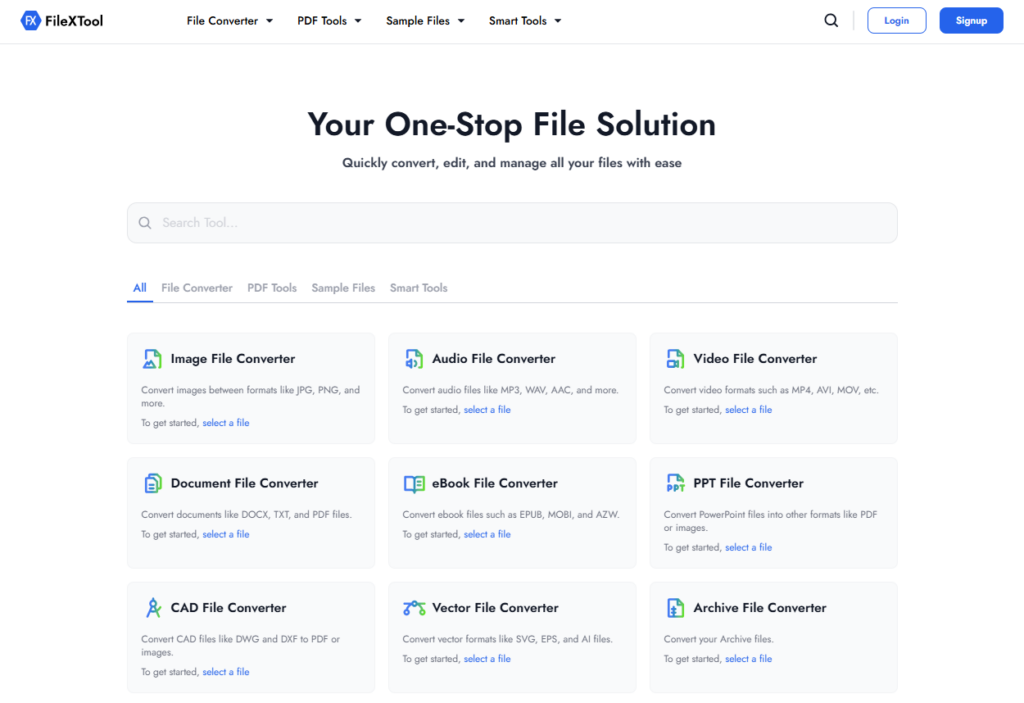
Step 1: Open the FileXTool Website
Start by opening your web browser and visiting the FileXTool website. You do not need to install any software, which makes this process simple and beginner-friendly. This allows you to start reordering PDF pages directly from your browser.
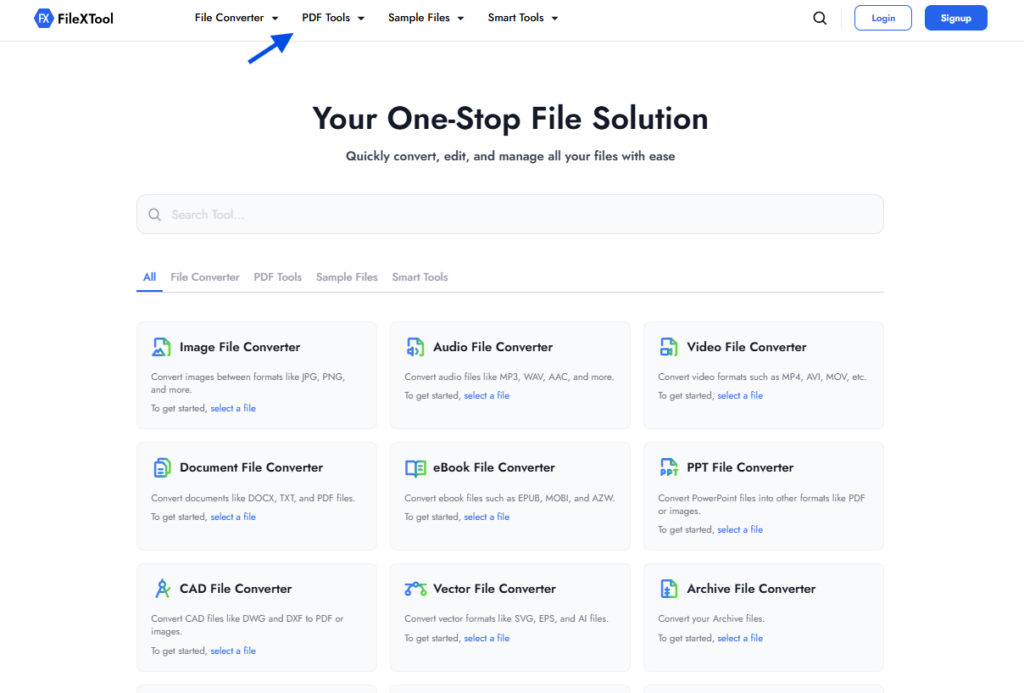
Step 2: Click on the PDF Tools Option
Once you are on the homepage, Click on the PDF tools option. Clicking on it will display different features designed to manage PDF files easily. This section helps users handle common PDF tasks from one place.
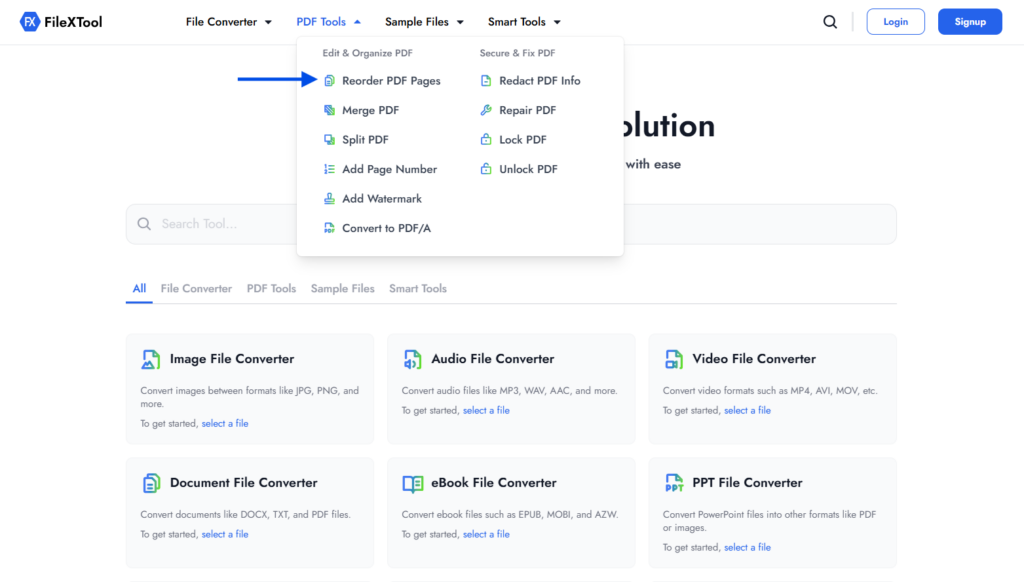
Step 3: Select the Reorder PDF Pages Option
From the list of available options, select the Reorder PDF Pages tool. This option is specifically created to change the order of pages within a PDF file. Choosing it ensures that only the page sequence is modified without affecting the content.
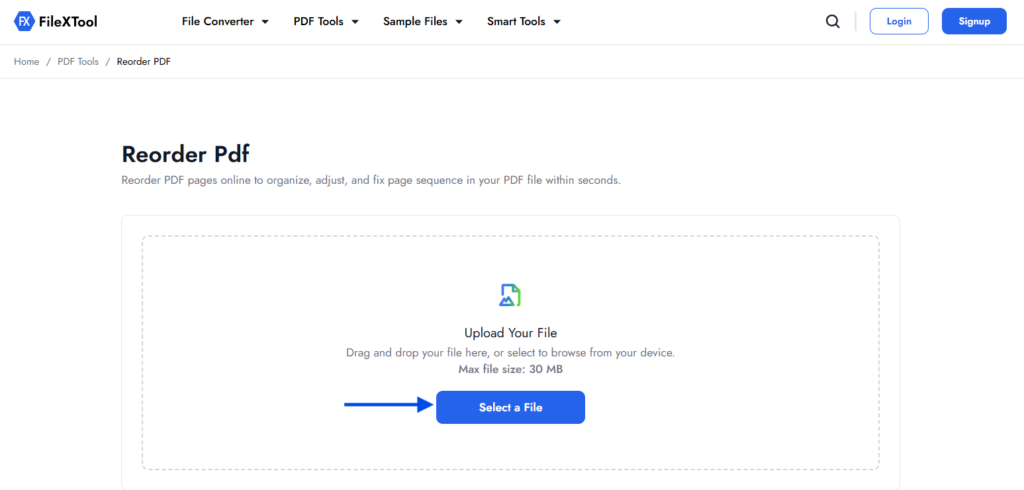
Step 4: Upload Your PDF File
Now upload the PDF file whose pages you want to rearrange. You can click on the select files button or drag and drop the file into the upload area. Once uploaded, all pages will appear in a visual layout for easy reordering.
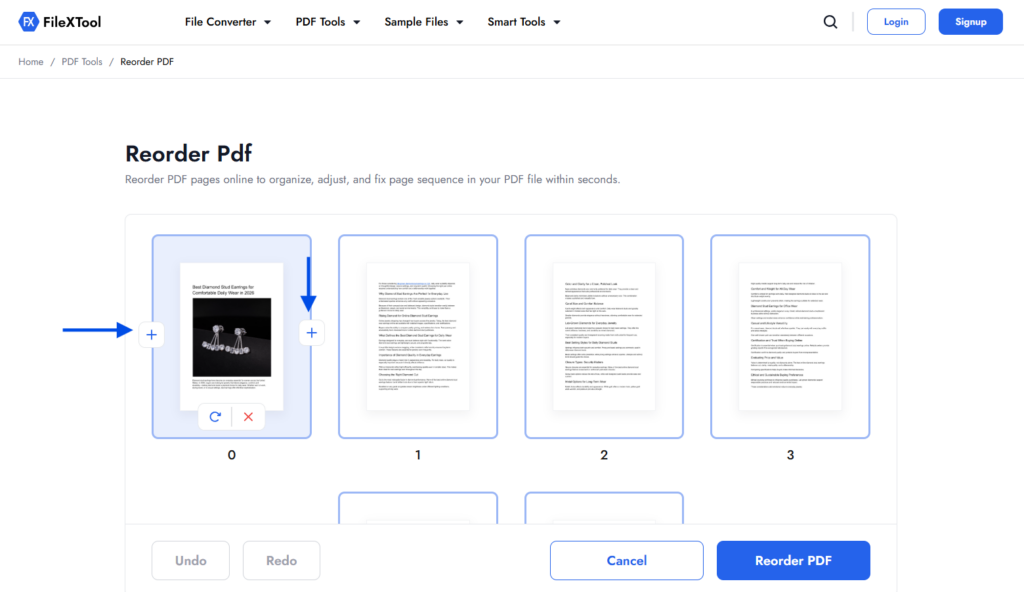
Step 5: Add a Blank Page Using the Plus (+) Icon
If required, you can add a blank page using the plus (+) icon on the left or right side. This option is useful when you want to insert a separator or create space between sections. Adding a blank page does not change existing content.
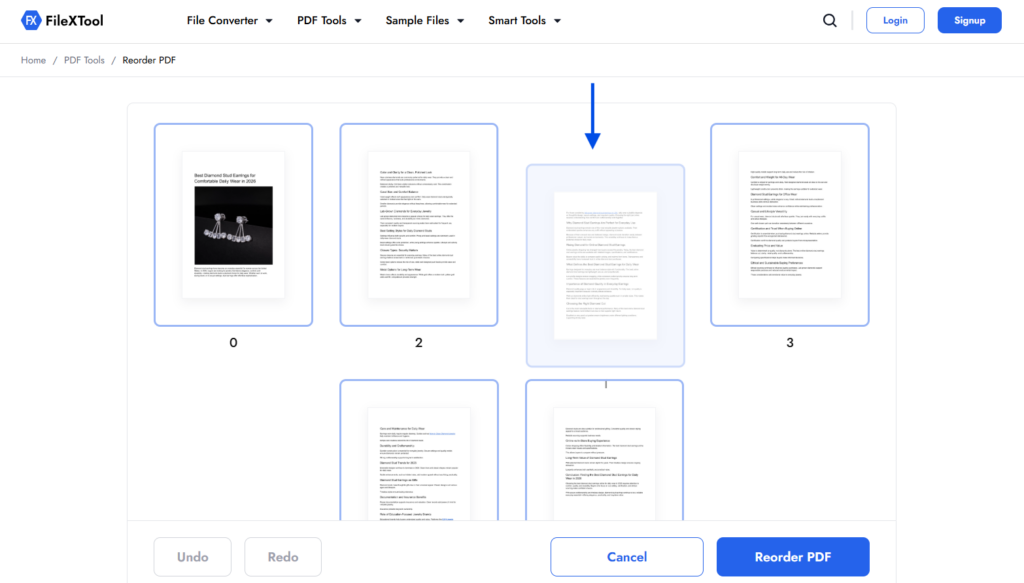
Step 6: Drag and Drop the PDF Pages to Reorder
To change the page sequence, simply drag and drop the pages into the correct order. This visual method makes it easy to rearrange PDF pages accurately. You can move pages forward or backwards until the document flows correctly.
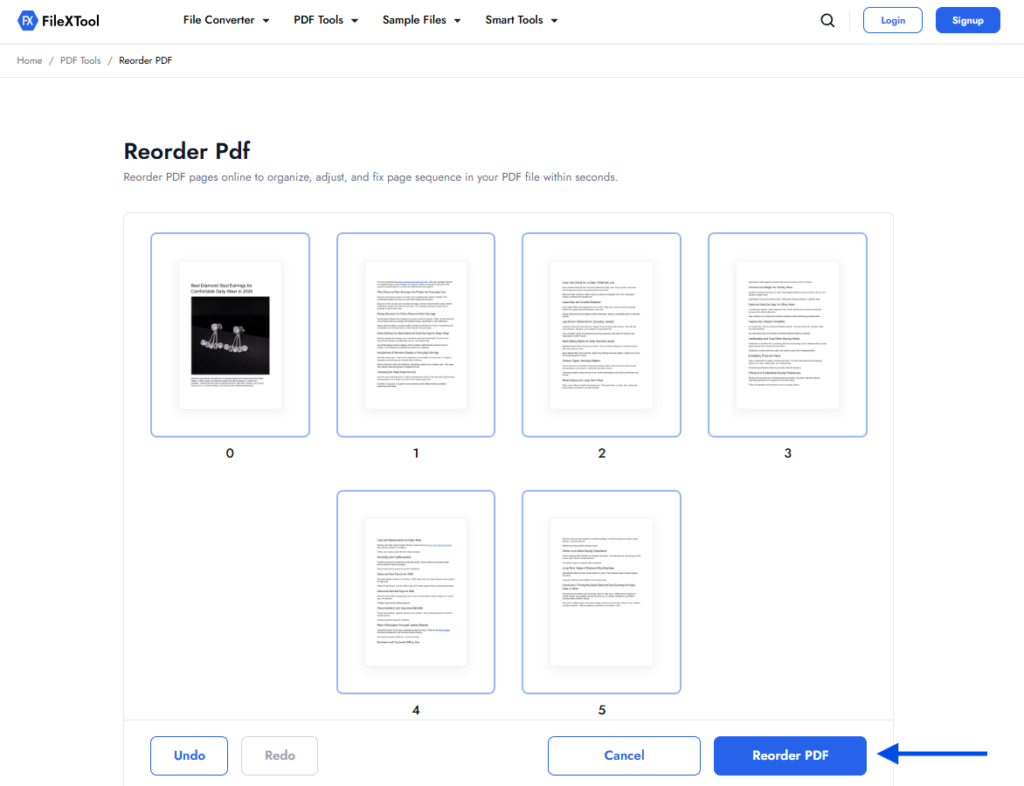
Step 7: Click on Reorder PDF
After finalising the page order, click on the Reorder PDF button. The tool will process your file and apply the new page sequence. This step confirms that the changes are saved correctly.
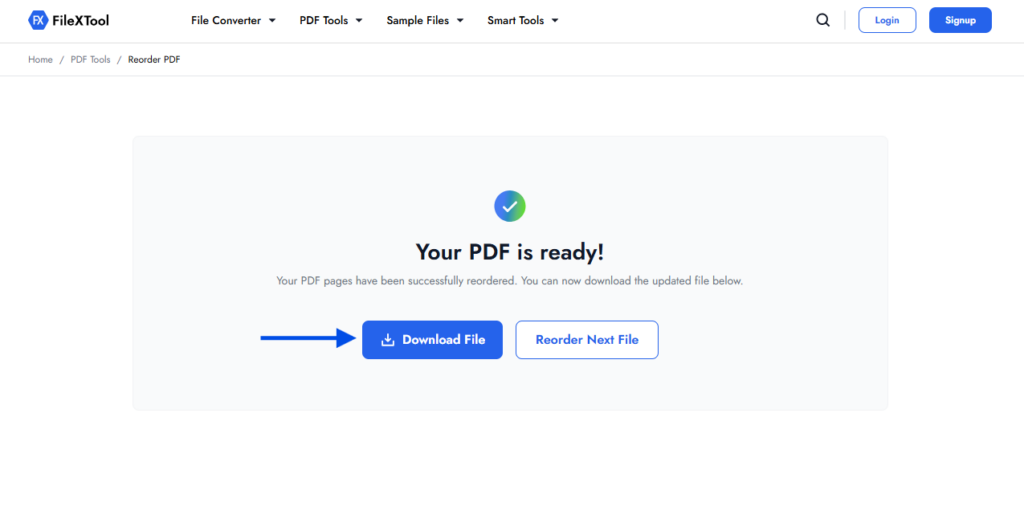
Step 8: Download the Reordered PDF File or Reorder More Files
Once the process is complete, download the reordered PDF file to your device. Open the file to check that the pages appear in the correct order. If you need to work on more documents, you can reorder additional files easily.
Why Should You Reorder PDF Pages?
You should reorder PDF pages when the sequence of a document does not match the way it is meant to be read. Learning how to reorder PDF pages helps you correct page placement issues without editing or recreating the file, making the document easier to understand and more professional.
Many documents lose their proper structure due to scanning errors, exporting issues, or while compiling content from different sources. Knowing how to reorder PDF pages allows you to fix these issues quickly and ensures the content flows in a clear and logical manner.
Reordering pages may seem like a small change, but it improves several important aspects of a document. Below are some key reasons why changing the order of pages in a PDF is useful.
Improve Document Flow
When you reorder PDF pages, the content follows a natural reading order. This makes it easier for readers to understand the message without jumping back and forth between sections. Being able to rearrange PDF pages helps maintain clarity from start to finish.
Save Time and Effort
Instead of recreating the entire document, you can simply reorder PDF pages. This saves time, especially when working with long reports or multi-page files where rewriting is not practical.
Present a Professional File
Correct page order gives your document a polished and organized look. When you change order of pages in PDF, the final file appears more structured, which is important for official reports, client files, and academic submissions.
Fix Errors from Scanned Files
Scanned PDFs often have pages out of order. Reordering PDF pages allows you to correct these errors quickly without rescanning the document.
Keep Content Exactly the Same
When you change the order of pages in a PDF, only the sequence changes. The text, images, and formatting remain untouched, making how to reorder PDF pages a safe and reliable solution.
When Do You Need to Reorder PDF Pages?
There are many everyday situations where users realize the need to reorder pages in a document. These situations usually appear after creating, scanning, or sharing files, which is why knowing how to reorder PDF pages becomes so useful in real workflows.
Office Reports and Business Files
Reports, proposals, and internal documents often require updates before final submission. In such cases, users may need to reorder PDF pages so sections follow a logical flow and important details appear in the right place.
Academic Assignments and Projects
Students commonly compile assignments from different sources. Being able to rearrange PDF pages ensures that chapters, references, and appendices stay in the correct order for smooth evaluation.
Scanned Documents
Scanned PDFs frequently come out of sequence, especially when multiple pages are scanned separately. Reordering PDF pages helps restore the correct structure and keeps records well organised.
Combined Documents
When multiple PDFs are combined into one file, the page order may not always be perfect. After users learn how to merge PDF files, they often need to adjust the sequence to improve readability and document flow.
Selective Content Sharing
Sometimes, only specific pages need to appear first for sharing with clients or teams. In such cases, knowing how to change order of pages ina PDF helps tailor documents for different audiences without altering the content.
Importance of Correct Page Order in a PDF
Page order plays a key role in how a document is read and understood. Even when the content is accurate, an incorrect sequence can confuse readers and reduce the overall impact. This is where understanding how to reorder PDF pages becomes essential for creating well-structured documents.
A correctly arranged PDF ensures information appears at the right place and in the right order. When you reorder PDF pages properly, the document becomes easier to navigate, review, and share without misunderstanding.
- Helps readers follow ideas smoothly from start to finish
- Prevents misinterpretation caused by misplaced sections
- Makes documents easier to review, approve, and reference
- Improves overall structure and logical flow
- Reduces the risk of missing important information
Maintaining the correct sequence is important whether you need to rearrange PDF pages for professional work, academic submissions, or personal documents. Knowing how to change the order of pages in PDF files helps keep everything clear, organized, and reader-friendly.
Common Problems Caused by Incorrect Page Order
Incorrect page order can create several issues that affect readability and understanding. These problems often go unnoticed until the document is reviewed or shared, which is why learning how to reorder PDF pages becomes so important.
- Readers get confused due to broken content flow
- Important information appears too late or too early
- Documents look unprofessional or incomplete
- Reviewers miss key sections while reading
- Extra time is spent explaining the document structure
When users try to reorder PDF pages without checking the sequence carefully, these issues can still appear. In some workflows, people first learn how to split pdf pages to separate content, but they continue to face problems if they do not properly rearrange PDF pages afterwards.
This clearly shows why it is essential to change order of pages in PDF correctly to maintain clarity and structure.
Final Thoughts on Reordering PDF Pages
Understanding how to reorder PDF pages gives you better control over your documents. It allows you to fix page sequence issues quickly without editing or recreating files. This simple skill improves clarity, saves time, and enhances document presentation.
Whether you need to rearrange PDF pages for work reports, academic files, or scanned documents, following the correct steps makes the process smooth and stress-free. Paying attention to page order ensures your content is always easy to read and understand.
For a beginner-friendly and reliable experience, tools like FileXTool make it easier to reorder PDF pages while keeping your documents accurate, organized, and professional.