


Video files come in many formats, including MP4, MOV, MKV, AVI, and MPG. However, not every device, media player, or editing software supports all video formats. This is why video conversion has become an essential task for content creators, marketers, students, businesses, and everyday users.
A reliable video converter helps you change video formats without compromising quality, improve compatibility across devices, reduce file sizes, and optimize videos for sharing or streaming. Today, there are many tools available, but choosing the right one can save both time and effort.
In this guide, we have reviewed the 12 best video format converter online tools based on ease of use, supported formats, conversion speed, features, and overall user experience.
Best Video Format Converter Tools
With dozens of video conversion tools available online, finding the right option can be challenging. Some tools focus on speed, while others offer advanced settings, batch processing, or support for a wider range of file formats.
To help you choose the right solution, we have compared 12 most popular video converters available today. Whether you need a simple browser-based tool or a professional video format conversion software, the following options offer reliable performance for different use cases.
1. FileXTool
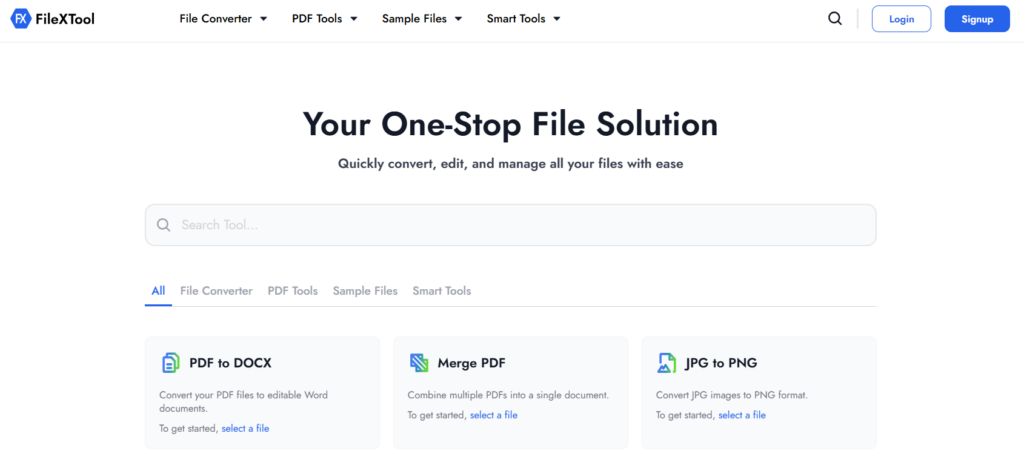
FileXTool is one of the most complete platforms for users searching for the best video format converter online.
Unlike many converters that only focus on videos, FileXTool supports video, audio, image, document, and PDF conversions from a single platform.
The browser-based interface allows users to upload files, choose the output format, and complete conversions within a few clicks. No software installation is required.
FileXTool supports MP4, MOV, MKV, AVI, MPG, WEBM, and several other formats. Users can access dedicated conversion tools instead of navigating through complex settings.
If you are looking for a best file converter tool, FileXTool provides a simple and reliable experience for both beginners and professionals.
Many users consider FileXTool the best video file converter online because it combines speed, flexibility, and convenience in one place.
Key Features
- Supports multiple video formats
- Browser-based conversion
- Fast processing
- No installation required
- Dedicated format converters
- Mobile-friendly interface
- Secure conversion process
- Additional document and image tools
2. Vimeo
Vimeo is widely known as a video hosting platform, but it also provides useful video conversion and export capabilities.
The platform focuses on creators and businesses that need professional-quality video output.
Vimeo is a good choice for users who regularly publish videos and want optimized formats for streaming and sharing.
Key Features
- High-quality video exports
- Cloud-based workflow
- Collaboration tools
- Video hosting and sharing
3. Adobe Media Encoder
Adobe Media Encoder is a professional-grade video format conversion software widely used by video editors, filmmakers, and content creators.
It integrates seamlessly with Adobe Premiere Pro and After Effects, making it a popular choice in professional production environments.
The software supports a large number of video formats and allows users to export videos with advanced settings for quality, resolution, bitrate, and device compatibility.
Key Features
- Adobe Creative Cloud integration
- Batch video processing
- Advanced export settings
- Multiple format support
4. Movavi Video Converter
Movavi Video Converter is known for its beginner-friendly design and fast conversion speeds.
The software supports numerous formats and includes compression and optimization tools.
Users who want a straightforward video file converting software often choose Movavi because of its simplicity.
Key Features
- Fast video conversion
- Batch processing support
- Video compression tools
- Device-specific presets
5. Freemake Video Converter
Freemake Video Converter has been a popular choice among Windows users for years. It supports hundreds of video and audio formats and offers a straightforward conversion experience.
In addition to format conversion, the tool provides basic editing capabilities and can prepare videos for playback on different devices and platforms.
Key Features
- Supports multiple file formats
- Simple user interface
- Basic video editing
- Device compatibility presets
6. HandBrake
HandBrake is a free and open-source video converter trusted by millions of users worldwide. It is especially popular for video compression and reducing file sizes while maintaining good visual quality.
Many users consider HandBrake one of the most reliable options when they need a best video file converter online alternative without paying for premium software.
Key Features
- Open-source software
- Advanced compression settings
- Preset profiles available
- Multi-platform support
7. FFmpeg
FFmpeg is one of the most powerful multimedia frameworks available today. Unlike traditional converters, it uses command-line instructions to convert, process, and edit video files.
Although it has a learning curve, FFmpeg supports virtually every major video format and is often used by developers, video professionals, and automation workflows.
Key Features
- Extensive format support
- Powerful command-line tools
- Batch automation capabilities
- Advanced video processing
8. VideoProc Converter
VideoProc Converter is a feature-rich video conversion tool that combines format conversion, compression, downloading, and basic editing capabilities.
It is particularly known for its GPU acceleration technology, which helps speed up video processing.
The software is suitable for users who regularly work with large video files and want faster conversion times without sacrificing output quality.
Key Features
- Hardware-accelerated conversion
- Video compression tools
- Built-in editing features
- Wide format compatibility
9. CloudConvert
CloudConvert is a browser-based file conversion platform that supports video, audio, document, image, and archive formats. Since all conversions happen in the cloud, users can convert files without installing additional software.
The platform is popular among professionals who need flexibility and support for a large number of file formats.
Key Features
- Cloud-based processing
- Supports numerous file formats
- Custom conversion settings
- API integration available
10. Convertio
Convertio is one of the most widely used online file conversion platforms. Its simple interface allows users to upload files from their device, cloud storage, or URLs and convert them into different formats.
The platform focuses on convenience and is ideal for users who need occasional video conversions without dealing with complex settings.
Key Features
- Easy-to-use interface
- Cloud storage integration
- Browser-based conversion
- Multiple video format support
11. Zamzar
Zamzar has been a trusted name in file conversion for many years. It supports a large variety of file formats and provides a straightforward conversion process suitable for beginners.
Its simple workflow makes it a practical choice for users who want quick conversions without learning advanced software.
Key Features
- Beginner-friendly platform
- Wide format support
- Fast conversion process
- Cloud-based functionality
12. Online-Convert
Online-Convert is a flexible conversion platform that supports video, audio, image, document, and archive files. Users can customize settings such as resolution, bitrate, codec, and output quality before converting files.
This level of control makes it useful for users who want more than just basic format conversion.
Key Features
- Advanced conversion settings
- Device-specific presets
- Multiple format support
- Browser-based access
How to Choose the Best Video Format Converter for Your Needs
After reviewing the best video format converter online tools, the next challenge is choosing the right one for your specific requirements. Not every converter is built for the same purpose, and selecting the wrong tool can lead to slower conversions, reduced quality, or limited format support.
Whether you are converting videos for social media, professional editing, streaming, or personal storage, there are several factors you should evaluate before making a decision.
Supported Video Formats
A good converter should support the most commonly used video formats, including:
- MP4
- MOV
- MKV
- AVI
- WEBM
- MPG
The wider the format support, the easier it becomes to work with videos across different devices and platforms.
Conversion Speed and Quality
Fast processing is important, but quality should never be sacrificed.
Look for tools that:
- Maintain original resolution
- Preserve video quality
- Support modern codecs
- Process large files efficiently
Security and Privacy
If you use an online converter, file security should be a priority.
Consider tools that:
- Use secure uploads
- Automatically delete files
- Protect user data
- Process files safely
Ease of Use
A clean and intuitive interface can save time, especially for beginners.
The best video format converter should allow users to upload, convert, and download files without dealing with unnecessary complexity.
Most Common Video Conversion Mistakes to Avoid
Video conversion seems simple, but small mistakes can affect playback quality, compatibility, and file size. Avoiding these common issues can help you achieve better results.
Choosing the Wrong Output Format
Different formats serve different purposes.
For example:
- MP4 works best for general use.
- MOV is preferred for editing.
- WEBM is optimized for websites.
Selecting the wrong format can create compatibility issues later.
Using Excessive Compression
Over-compressing videos may reduce file size, but it can also cause noticeable quality loss.
Always balance compression settings with your desired output quality.
Ignoring Resolution Settings
Changing resolution unnecessarily can negatively impact video clarity.
Whenever possible, maintain the original resolution unless a specific platform requires otherwise.
Converting Files Without Checking Compatibility
Before converting, verify which formats are supported by your target device, software, or platform.
This prevents unnecessary conversions and saves time.
Not Keeping the Original File
Always keep a backup of the source file before conversion.
If something goes wrong during processing, you can easily reconvert the original version without losing quality.
Which Video Format Should You Use for Different Purposes
The ideal video format depends on how and where the video will be used. Some formats prioritize compatibility, while others focus on quality or advanced features.
| Use Case | Recommended Format | Why It Works |
|---|---|---|
| General Video Sharing | MP4 | Best compatibility |
| YouTube Uploads | MP4 | Platform-friendly |
| Professional Editing | MOV | High-quality output |
| Video Archiving | MKV | Supports multiple tracks, subtitles, and metadata |
| Website Videos | WEBM | Optimized for web delivery and faster loading |
| Legacy Systems | AVI | Compatible with older software and hardware |
For most users, MP4 remains the safest choice because it offers an excellent balance between quality, compatibility, and file size.
Why Choose FileXTool?
After exploring different video format converters, it becomes clear that every tool serves a different audience. Some are designed for professional video editors, while others focus on advanced customization and technical workflows.
FileXTool takes a different approach by keeping video conversion simple and accessible. Instead of overwhelming users with complex settings, it focuses on helping users convert files quickly and efficiently.
Another advantage is the availability of dedicated format-specific converters. This makes common conversions more straightforward and eliminates the need to navigate through unnecessary options before starting a conversion.
For users who value convenience, speed, and ease of use, FileXTool offers a practical way to handle everyday video conversion tasks directly from a browser.
Popular Video Format Conversions
FileXTool offers dedicated converters for some of the most commonly used video format conversions.
- MOV to MP4 Converter
- MKV to MP4 Converter
- MP4 to MOV Converter
- MPG to MP4 Converter
- MP4 to AVI Converter
If you want to extract audio from video files, you can also read our guide on how to convert mp4 to mp3.
What Makes FileXTool Different?
- Simple and beginner-friendly workflow
- Dedicated converters for popular video formats
- No software installation required
- Quick access from any device
- Supports common video conversion needs
Conclusion
Choosing the best video format converter can make a significant difference in how easily you manage, share, and optimize video files. A reliable converter should support popular formats, maintain video quality, and provide a smooth conversion experience without unnecessary complexity.
Whether you need to improve compatibility, reduce file size, or prepare videos for editing and sharing, using the right conversion tool can save time and simplify your workflow. Features such as broad format support, fast processing, and an easy-to-use interface are often the most important factors when selecting a converter.
For users looking for a practical and straightforward solution, FileXTool offers a convenient way to handle video format conversions online. With dedicated conversion tools and a user-friendly approach, it helps make video conversion faster, simpler, and more accessible for everyday use.
FAQs
What Is the Best Video Format Converter?
The best video format converter depends on your needs, but for most users, FileXTool is a practical choice because it supports popular video formats, offers a simple conversion process, and works directly from a browser without requiring software installation.
Is MP4 a Video File Format?
Yes, MP4 is one of the most widely used video file formats. It provides a good balance between video quality, file size, and compatibility, making it a preferred format for streaming, sharing, and playback across different devices.
Can I Convert MP4 to AVI?
Yes, you can easily convert MP4 to AVI using a best video format converter like FileXTool. Converting MP4 to AVI may be useful when working with older software, media players, or systems that specifically support the AVI format.
Can I Convert MP4 to Other Formats?
Absolutely. MP4 files can be converted into several formats, including MOV, MKV, AVI, MPG, WEBM, and more. Using a reliable best video format converter helps ensure that the converted file maintains good quality and compatibility.
How to Convert Video Formats Online?
Upload your video, select the desired output format, and start the conversion process. With FileXTool, you can convert video formats directly from your browser without installing additional software.