


Audio files are used everywhere today, from music streaming and podcasts to video editing, gaming, movies, and voice recordings. However, not all audio formats work the same way. Different types of audio file formats are designed for different purposes based on quality, compression, compatibility, and file size.
Some audio formats focus on preserving maximum sound quality, while others reduce file size for easier storage and faster streaming. This is why choosing the right format becomes important for creators, editors, businesses, and everyday users working with digital audio.
Understanding the common audio file formats can help you select the right option for listening, editing, sharing, or professional production. This guide explains the most widely used audio formats in simple language along with their practical use cases and differences.
What Are Audio File Formats
Audio file formats are digital file types used to store sound data. Each format uses a different method for compressing and processing audio.
Some formats reduce file size to save storage space, while others preserve maximum audio quality. This is why different audio file types are used for different purposes like streaming, editing, or professional recording.
The quality, compatibility, and file size of an audio file depend on the format being used.
Why Audio File Formats Matter
Choosing the correct format can improve:
- Audio quality
- Device compatibility
- Streaming performance
- Storage efficiency
- Editing flexibility
For example, MP3 files are small and widely supported, while FLAC files provide much better audio quality.
If you regularly work with different audio formats, using a reliable best audio file converter can make file conversion much easier.
10 Popular Types of Audio File Formats
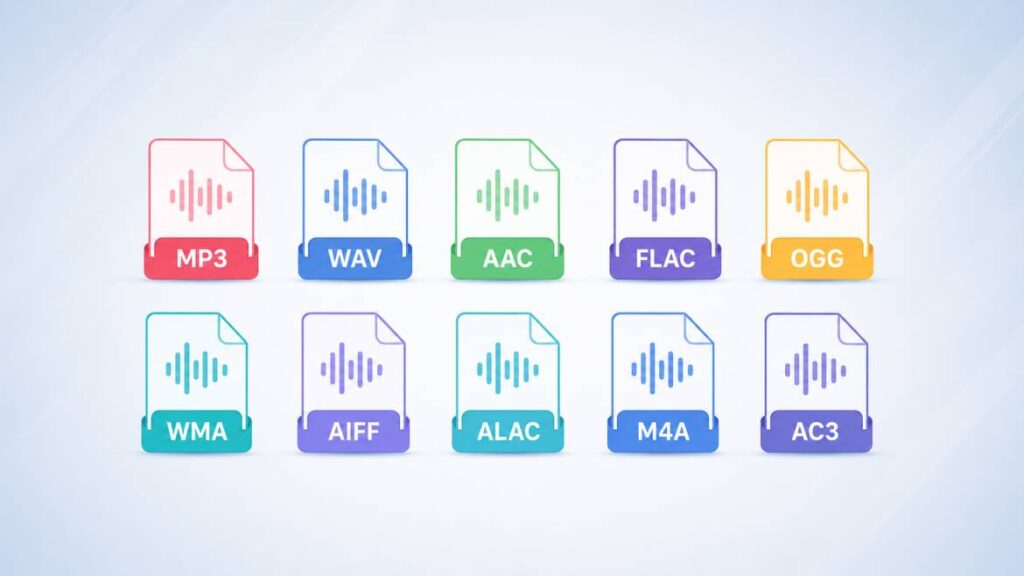
Different audio formats are designed for different listening and production needs. Some focus on smaller file size, while others preserve maximum sound quality for editing, recording, or professional audio work.
1. MP3
MP3 is one of the most widely used audio formats in the world. It uses lossy compression to reduce file size while keeping acceptable sound quality for everyday listening.
Best for:
- Music streaming
- Mobile devices
- Online sharing
Pros:
- Small file size
- Supported almost everywhere
Cons:
- Some audio quality loss during compression
If you work with video audio extraction, guides like How to Convert MP4 to MP3 can help simplify the process.
2. WAV
WAV is an uncompressed audio format known for preserving original sound quality. It is commonly used in professional recording and editing environments.
Best for:
- Studio recording
- Audio editing
- Professional production
Pros:
- Very high sound quality
- No compression loss
Cons:
- Large file sizes
Some users convert compressed files into WAV using an MP3 to WAV converter when they need better editing flexibility.
3. AAC
AAC stands for Advanced Audio Coding and is commonly used by streaming services, smartphones, and Apple platforms.
Best for:
- Streaming platforms
- Mobile audio
- YouTube and Apple Music
Pros:
- Better quality than MP3 at similar file sizes
- Efficient compression
Cons:
- Slightly less universal compatibility than MP3
AAC is often considered one of the more efficient common audio file formats for online streaming.
4. FLAC
FLAC is a lossless audio format that preserves full sound quality while reducing file size compared to completely uncompressed formats.
Best for:
- Audiophiles
- Music archiving
- High-quality playback
Pros:
- Lossless compression
- Excellent audio quality
Cons:
- Larger files than MP3 or AAC
FLAC is often preferred when users want one of the highest-quality types of audio file formats for music storage.
5. OGG
OGG is an open-source audio format mainly used for streaming and gaming applications.
Best for:
- Online streaming
- Gaming audio
- Open-source platforms
Pros:
- Good compression efficiency
- Free and open-source
Cons:
- Less mainstream support compared to MP3
6. WMA
WMA, developed by Microsoft, was designed to compete with MP3 and improve compression efficiency.
Best for:
- Windows-based systems
- Older music libraries
Pros:
- Smaller file sizes
- Good compression
Cons:
- Limited support outside Microsoft environments
7. AIFF
AIFF is an uncompressed audio format developed by Apple and commonly used in professional audio environments.
Best for:
- Professional editing
- Mac-based production workflows
Pros:
- High audio quality
- Reliable for editing
Cons:
- Large storage requirements
8. ALAC
ALAC stands for Apple Lossless Audio Codec. It preserves audio quality while reducing file size without losing sound detail.
Best for:
- Apple ecosystem users
- High-quality music storage
Pros:
- Lossless quality
- Better storage efficiency than WAV
Cons:
- Mostly optimized for Apple devices
9. M4A
M4A is a popular audio container format often associated with AAC compression and Apple devices.
Best for:
- Mobile playback
- Podcasts
- Online audio distribution
Pros:
- Better compression than MP3
- Good sound quality
Cons:
- Compatibility may vary on older systems
If you want to test various audio formats before conversion, resources like best sample files of different formats can help compare file behavior and quality.
10. AC3
AC3 is an audio format developed for surround sound and Dolby Digital systems. It is widely used in DVDs, cinemas, and home theater systems.
Best for:
- Movies
- Surround sound systems
- Home theaters
Pros:
- Supports multi-channel audio
- Great for cinematic sound
Cons:
- Less suitable for regular music playback
Some users also convert high-quality WAV audio into compressed formats using a WAV to MP3 converter when smaller file sizes become necessary.
Audio File Formats Comparison Table
Different audio formats are built for different purposes. Some focus on smaller file sizes for streaming, while others prioritize maximum sound quality for editing and professional production.
| Audio Format | Compression Type | Audio Quality | File Size | Best Use Case | Compatibility |
|---|---|---|---|---|---|
| MP3 | Lossy | Good | Small | Music streaming & sharing | Very High |
| WAV | Uncompressed | Excellent | Very Large | Audio editing & recording | High |
| AAC | Lossy | Very Good | Small | Streaming & mobile devices | High |
| FLAC | Lossless | Excellent | Medium to Large | High-quality music storage | Moderate |
| OGG | Lossy | Good | Small | Gaming & streaming | Moderate |
| WMA | Lossy | Good | Small | Windows media playback | Moderate |
| AIFF | Uncompressed | Excellent | Very Large | Professional audio editing | Moderate |
| ALAC | Lossless | Excellent | Medium | Apple lossless audio | Moderate |
| M4A | Lossy | Very Good | Small | Podcasts & mobile audio | High |
| AC3 | Lossy | Very Good | Medium | Movies & surround sound | High |
How to Choose the Best Audio File Format
Choosing the right audio format depends on how you plan to use the file. Different formats are designed for different purposes, which is why there is no single best type of audio file for every situation.
- For Music Streaming
MP3 and AAC are commonly used because they provide smaller file sizes with good audio quality for online playback.
- For Professional Audio Editing
WAV and AIFF are better choices because they preserve maximum sound quality during recording and editing.
- For High-Quality Music Storage
FLAC and ALAC are ideal for users who want lossless audio without sacrificing sound detail.
- For Podcasts and Mobile Devices
M4A works well for podcasts, voice recordings, and mobile playback because of its efficient compression.
- For Movies and Surround Sound
AC3 is commonly used in home theaters and cinematic audio systems because it supports multi-channel sound.
- For Saving Storage Space
Compressed formats like MP3, AAC, and OGG help reduce file size while maintaining acceptable listening quality.
- For Better Device Compatibility
MP3 remains one of the safest choices because it works across almost all platforms, apps, and devices.
Lossy vs Lossless Audio Formats
Audio formats are generally divided into two main categories: lossy and lossless. Understanding this difference helps users choose the right option based on sound quality, storage, and playback needs.
Lossy formats reduce file size by removing some audio data that may not be easily noticeable during normal listening. Lossless formats preserve the original audio quality while still compressing the file to some extent.
| Type | Description | Common Formats | Best For |
|---|---|---|---|
| Lossy Audio | Removes some audio data to reduce file size | MP3, AAC, OGG, AC3 | Streaming, sharing, mobile devices |
| Lossless Audio | Preserves original sound quality | FLAC, ALAC | Music archives, professional listening |
| Uncompressed Audio | Stores complete original audio without compression | WAV, AIFF | Recording and audio editing |
When comparing different types of audio file formats, lossy formats are usually preferred for convenience and storage efficiency, while lossless formats are better for users who prioritize maximum sound quality.
When You Should Convert Audio File Formats
Audio conversion becomes useful when a file does not work properly on certain devices, software, or platforms. Different apps and systems support different audio formats, which is why users often need to switch between multiple different audio file types.
For example, someone may convert WAV files into MP3 to reduce file size for sharing or streaming. In other situations, users may convert compressed audio into higher-quality formats for editing or production workflows.
Using the best audio file converter can help simplify these tasks while improving compatibility across mobile devices, media players, editing software, and online platforms.
Common Situations Where Audio Conversion Helps
- Reducing large audio file sizes for faster sharing
- Improving compatibility with older devices or apps
- Extracting audio from video content
- Preparing files for podcasts or streaming platforms
- Converting studio recordings into portable formats
- Managing storage space more efficiently
Common Mistakes People Make With Audio Formats
Many users work with audio files regularly but still make small mistakes that affect sound quality, compatibility, or storage efficiency.
- Choosing high-quality formats for simple sharing needs
- Converting files multiple times and reducing audio quality
- Using uncompressed formats for mobile storage unnecessarily
- Ignoring device compatibility before downloading audio files
- Assuming all audio formats provide the same sound quality
- Using very low bitrate settings for music or podcasts
- Storing large WAV files without enough storage planning
- Confusing lossless and lossy audio compression formats
Conclusion
Understanding the different types of audio file formats can help you choose the right format for music, streaming, editing, and storage.
Lossy formats like MP3 and AAC are ideal for streaming and smaller file sizes, while lossless formats like FLAC and WAV provide better sound quality for professional use.
The best type of audio file depends on your needs, including quality, compatibility, and storage space. If you regularly work with multiple audio formats, using reliable tools from FileXTool can make audio conversion much easier and faster.
FAQs
1. How many types of audio formats are there?
There are many audio formats available today, but the most commonly used types of audio file formats include MP3, WAV, AAC, FLAC, OGG, WMA, AIFF, ALAC, M4A, and AC3. Each format is designed for different purposes such as streaming, editing, storage, or professional audio production.
2. Is FLAC or AAC better?
FLAC is better for preserving original sound quality because it uses lossless compression, while AAC is better for smaller file sizes and streaming efficiency. The right choice depends on whether you prioritize audio quality or storage space.
3. Is AAC or MP3 better quality?
AAC generally provides slightly better sound quality than MP3 at similar bitrates. This is why many streaming platforms and mobile services prefer AAC over older compressed audio formats.
4. What are the two audio file types?
The two main categories are lossy and lossless audio formats. Lossy formats reduce file size by removing some audio data, while lossless formats preserve original sound quality with minimal or no quality loss.
5. Which file type is best for audio?
The best type of audio file depends on your needs. MP3 is widely used for sharing and streaming, WAV is ideal for professional editing, and FLAC is preferred for high-quality music storage.