


In today’s digital world, image files come in many formats, including JPG, PNG, WebP, GIF, BMP, TIFF, and SVG. While each format serves a different purpose, users often need to convert images from one format to another for websites, social media, design projects, presentations, or personal use. This is where image converter tools become essential.
Whether you are a blogger, designer, marketer, student, or business owner, having access to a reliable online image converter tool can save time and improve productivity. The best tools allow you to convert images quickly without sacrificing quality while also supporting multiple file formats and batch conversions.
In this guide, we’ll explore the 10 Best Online Image Converter Tools in 2026, compare their features, and help you choose the right solution for your needs.
How We Selected the Best Image Converter Tools
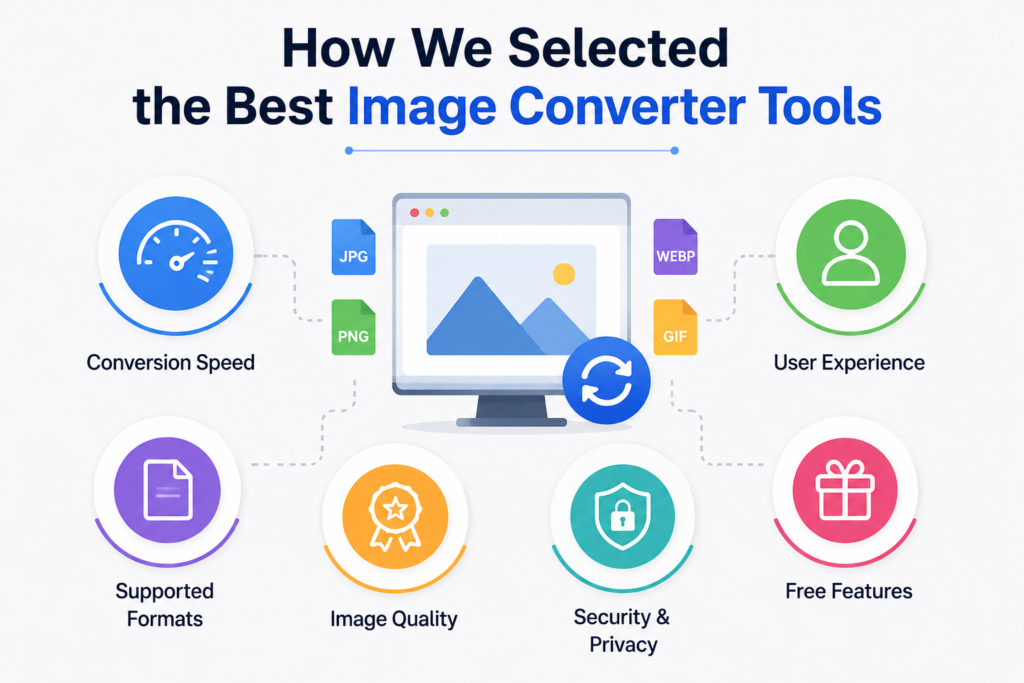
To create this list of the best image converter tools, we carefully evaluated each platform based on the features and performance that matter most to users. Since different users have different requirements, our goal was to identify tools that offer a balance of speed, quality, usability, and reliability. Below are the key factors we considered when comparing each online image converter tool.
Conversion Speed
Speed is one of the most important factors when choosing an image converter. Users want their files converted quickly without waiting for long processing times. We tested how efficiently each tool handled image uploads and conversions, especially when working with larger files or multiple images. Tools that delivered faster results while maintaining stability received higher rankings.
Supported File Formats
A reliable online image converter should support a wide variety of image formats. We evaluated each platform based on its ability to convert popular formats such as JPG, PNG, WebP, GIF, BMP, TIFF, and SVG. Tools that offered greater format compatibility were considered more versatile because they can meet the needs of different users and projects.
Among all image formats, JPG and PNG are the most commonly used. If you’re unsure which one is right for your project, check out our guide on JPG vs PNG: Which Format Is Better.
Image Quality
Maintaining image quality during conversion is essential, particularly for designers, photographers, businesses, and website owners. We assessed whether the converted images retained their original clarity, sharpness, colors, and resolution. Tools that minimized quality loss while producing accurate output performed better in our evaluation.
User Experience
An effective image converter should be easy to use for both beginners and experienced users. We reviewed the overall user experience by examining interface design, navigation, upload process, conversion workflow, and accessibility across devices. Platforms with clean layouts and straightforward conversion processes received higher scores.
Security and Privacy
Many users upload personal or business-related images, making security a critical consideration. We examined how each platform handles uploaded files, including whether files are encrypted, automatically deleted after processing, and protected from unauthorized access. Tools with strong privacy policies and secure file handling practices ranked higher.
Free Features
Since many users prefer free solutions, we also analyzed the features available without requiring a subscription. We looked at file size limits, conversion quality, supported formats, batch processing capabilities, and overall usability in the free version. Platforms that provided valuable features without forcing users into paid plans earned better positions on our list.
By evaluating these factors, we were able to identify the most reliable and user-friendly image converter tools available in 2026, helping users choose the best solution for their specific image conversion needs.
Top 10 Best Online Image Converter Tools in 2026
1. FileXTool
FileXTool stands out as one of the most versatile and user-friendly image converter tools available today. Designed for speed, simplicity, and performance, it offers a seamless experience for users who need quick image conversions without complicated settings.
Unlike many competitors that restrict features behind paywalls, FileXTool provides a straightforward conversion process that works efficiently across devices.
Key Features
- Supports JPG, PNG, WebP, GIF, BMP, TIFF, and more
- Fast conversion speeds
- Clean and beginner-friendly interface
- No software installation required
- Works on desktop and mobile devices
- Secure file processing
- High-quality output
Pros
- Easy to use
- Fast performance
- Multiple format support
- Minimal distractions
- Suitable for all skill levels
Best For
FileXTool is ideal for anyone looking for a dependable Online Image Converter Tool that combines speed, convenience, and high-quality results. It is particularly useful for website owners optimizing images for faster loading times, designers working with different file formats, content creators preparing visuals for social media, and businesses managing digital assets.
2. Convertio
Convertio is a popular cloud-based conversion platform that supports thousands of file conversion types, including images.
Key Features
- Cloud integration
- Supports many image formats
- Drag-and-drop functionality
Best For
Users who frequently work with cloud storage services.
3. CloudConvert
CloudConvert is known for professional-grade file conversions and advanced customization options.
Key Features
- High-quality conversions
- API access
- Advanced settings
Best For
Developers and advanced users.
4. FreeConvert
FreeConvert provides a large collection of conversion tools and supports multiple image formats.
Key Features
- Batch conversion
- Compression options
- Easy interface
Best For
Users who need occasional image conversions.
5. iLoveIMG
iLoveIMG combines image conversion with editing features such as resizing and compression.
Key Features
- Image editing tools
- Compression features
- Multiple format support
Best For
Content creators and marketers.
6. Online-Convert
Online-Convert has been around for years and offers a broad range of conversion options.
Key Features
- Advanced settings
- Quality adjustment options
- Various image formats
Best For
Users who want greater control over image output.
7. Img2Go
Img2Go provides image conversion alongside editing and optimization tools.
Key Features
- Image editing features
- Compression tools
- Format conversion
Best For
Users seeking an all-in-one solution.
8. Zamzar
Zamzar is one of the oldest file conversion platforms and remains a trusted option.
Key Features
- Simple interface
- Multiple conversion categories
- Reliable performance
Best For
Basic image conversion tasks.
9. XConvert
XConvert focuses on simplicity and offers a variety of image processing tools.
Key Features
- Batch conversion
- Compression support
- Easy-to-use interface
Best For
Users needing quick conversions.
10. AConvert
AConvert offers image, document, video, and audio conversion services.
Key Features
- Multi-format support
- Basic editing options
- Browser-based functionality
Best For
Users who need different types of file conversions.
Why FileXTool Is Best for Image Converter
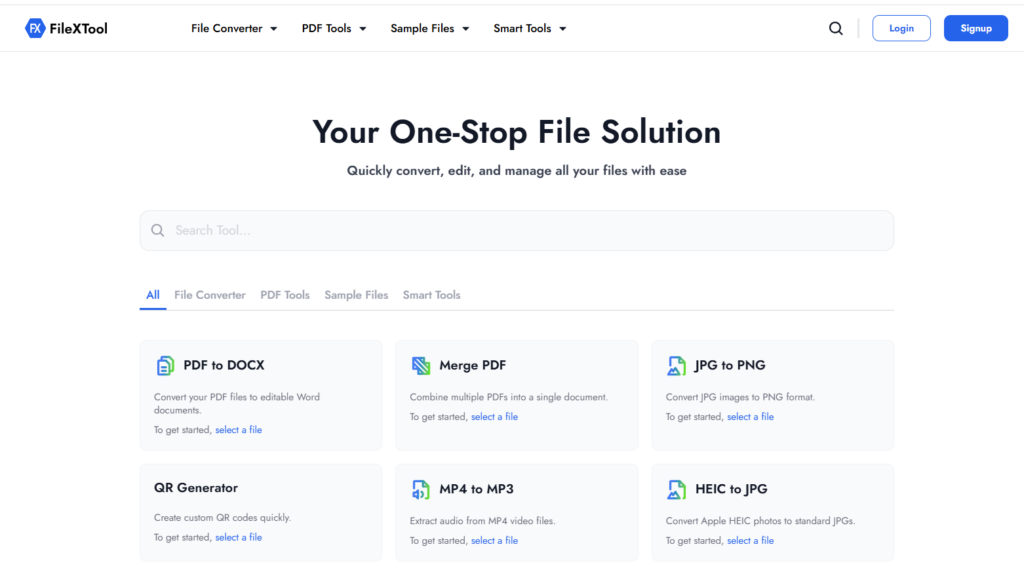
Among all the image converter tools reviewed in this guide, FileXTool consistently stands out as the most practical choice for everyday users.
Many online converters focus on adding extra features, but FileXTool focuses on what matters most: fast, high-quality image conversion.
1. Exceptional Speed
FileXTool processes image files quickly, reducing waiting times and improving workflow efficiency.
2. User-Friendly Experience
The platform is designed for users of all skill levels. Even first-time visitors can convert images in just a few clicks.
3. Multiple Format Support
Whether you need JPG, PNG, WebP, GIF, BMP, or other formats, FileXTool handles a wide range of conversion requirements.
For designers and professionals working with vector graphics, understanding the differences between SVG vs EPS Files can help you select the best format for printing, branding, and digital design projects.
4. High-Quality Results
Image quality is preserved during conversion, making it suitable for both personal and professional projects.
5. No Installation Required
Since it is an online image converter tool, users can access it directly through a browser without downloading software.
6. Works Across Devices
FileXTool functions smoothly on desktops, laptops, tablets, and smartphones.
7. Secure File Processing
Users can convert files confidently knowing their data is handled securely.
8. Ideal for Daily Use
Whether you’re a blogger optimizing website images, a designer preparing graphics, or a business owner managing digital content, FileXTool offers a dependable solution.
When comparing the leading image converter tools, FileXTool delivers the best combination of speed, simplicity, compatibility, and performance, making it one of the strongest choices available in 2026.
Final Thought
Choosing the right image converter tool can make image conversion faster and more efficient. While several options are available, FileXTool stands out for its speed, ease of use, high-quality output, and support for multiple image formats.
Whether you need a reliable online image converter tool for personal or professional use, FileXTool provides a simple and effective solution. Explore FileXTool’s image conversion tools and related guides to streamline your workflow in 2026.
FAQs
Q1. What is an image converter tool?
An image converter tool is a software or online service that allows users to convert image files from one format to another. Common conversions include JPG to PNG, PNG to JPG, WebP to JPG, and GIF to PNG. These tools help ensure compatibility across websites, applications, and devices.
Q2. What is the best online image converter tool in 2026?
The best online image converter tool depends on your needs, but FileXTool is a popular choice due to its fast conversion speeds, support for multiple image formats, user-friendly interface, and high-quality output. Other notable options include CloudConvert, Convertio, and iLoveIMG.
Q3. Can I convert images online without installing software?
Yes. Most modern online image converter tools, including FileXTool, work directly in your web browser. You simply upload your image, select the desired format, and download the converted file without installing any software.
Q4. Which image formats can be converted using image converter tools?
Most image converter tools support popular formats such as JPG, PNG, WebP, GIF, BMP, TIFF, and SVG. Some platforms also support additional formats depending on their features and capabilities.
Q5. Will image quality be affected during conversion?
Image quality depends on the tool and conversion settings being used. High-quality image converter tools like FileXTool are designed to preserve image clarity, resolution, and color accuracy while converting files between formats.