


Understanding colors is one of the most valuable skills for anyone working on websites, graphics, branding, or digital content. Learning color theory for beginners helps you choose colors that look visually appealing and communicate the right message.
Instead of selecting colors randomly, color theory explains how different colors interact with each other. It helps you create balanced color combinations, improve readability, and build designs that attract attention.
Whether you’re a beginner, designer, developer, or marketer, understanding color theory for beginners makes it easier to create professional-looking projects.
In this guide, you’ll learn the color wheel, color harmonies, what is a color shade, and practical ways to create better color palettes for your projects.
What Is Color Theory?
Color theory is a collection of principles that explain how colors work together. It helps you understand which colors complement each other and how different combinations affect the overall appearance of a design.
For anyone learning color theory for beginners, these principles remove the guesswork from choosing colors. Instead of relying on personal preference, you can use proven color relationships to create visually balanced designs.
Color theory is widely used in:
- Graphic design
- Web design
- Branding
- UI/UX design
- Presentations
- Social media graphics
Learning the basics of color theory for beginners is the first step toward creating designs that look professional and communicate effectively.
What Is a Color Shade?
A color shade is a darker version of a base color created by adding black. Designers use color shades to add depth, improve contrast, and create visual hierarchy in their designs. Understanding what is a color shade is an essential part of learning color theory for beginners.
For example, if you start with blue and gradually add black, you’ll create multiple darker shades of blue. Each shade has a different visual impact and can be used for backgrounds, buttons, text, or other design elements.
Color Shade vs Tint vs Tone
Although these terms are often used interchangeably, they have different meanings.
| Type | How It’s Created | Example |
|---|---|---|
| Shade | Add black to a color | Dark Blue |
| Tint | Add white to a color | Light Blue |
| Tone | Add gray to a color | Muted Blue |
Knowing the difference between shades, tints, and tones helps you create balanced color palettes and choose the right variation for your project. This knowledge is one of the key building blocks of color theory for beginners.
Why Are Color Shades Important in Design?
Color shades play an important role in creating attractive and user-friendly designs. They help improve visual hierarchy, highlight important elements, and make layouts look more professional. Understanding how to use shades is a key part of color theory for beginners.
Instead of using a single flat color everywhere, designers create lighter and darker variations to add depth and balance. This makes buttons, backgrounds, icons, and text easier to distinguish while improving the overall user experience.
Using the right color shades can also strengthen your brand identity and maintain consistency across websites, mobile apps, presentations, and marketing materials.
Benefits of Using Color Shades
- Create visual depth and dimension
- Improve readability and contrast
- Build consistent color palettes
- Highlight important design elements
- Make websites and graphics look more professional
- Enhance user experience across different devices
Once you understand the importance of color shades, the next step is learning how to generate them quickly instead of creating each variation manually.
How to Use the Color Shade Generator Tool?
Creating lighter and darker color variations manually can take time, especially when working on websites, branding, or graphic design projects. A best online color shade generator tool makes this process faster by generating accurate color shades and HEX codes in seconds.
Follow the steps below to generate lighter and darker color variations using the tool.
Step 1: Open the FileXTool Color Shade Generator

Visit FileXTool, open the Smart Tools section, go to Visual & Design Tools, and select Color Shade Generator.
Step 2: Choose a Base Color
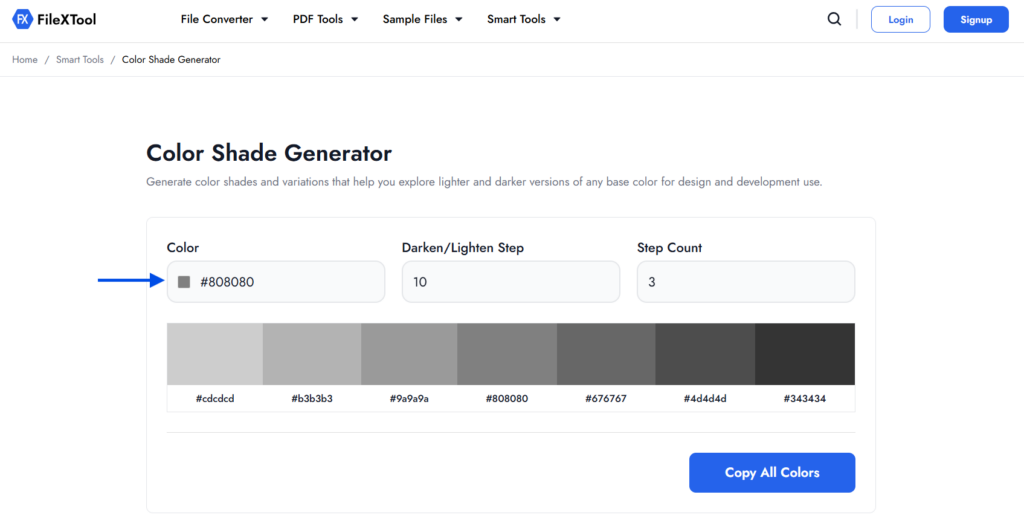
Enter a HEX color code (such as #808080) or use the built-in color picker to select your preferred color.
Step 3: Set the Darken or Lighten Value
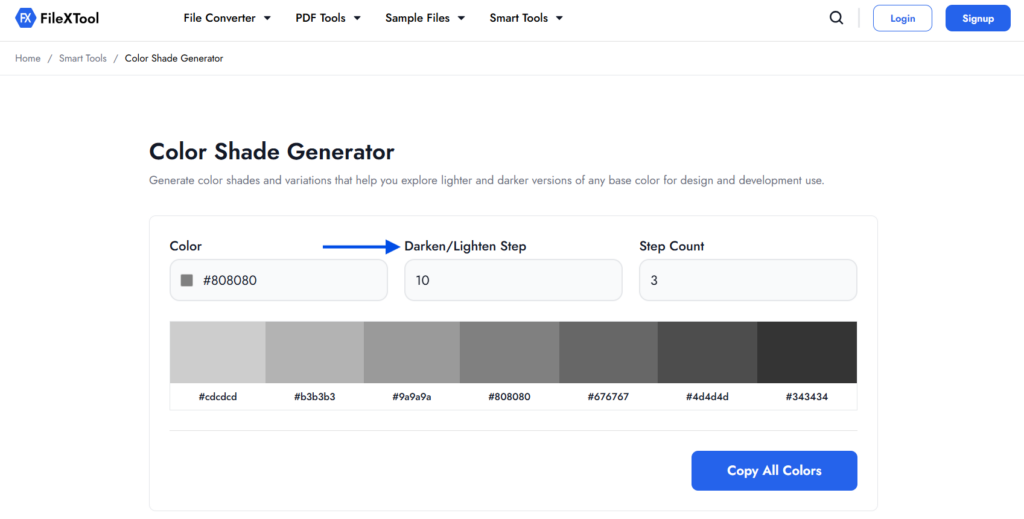
Enter the percentage that determines how much lighter or darker each generated shade should be.
Step 4: Enter the Step Count
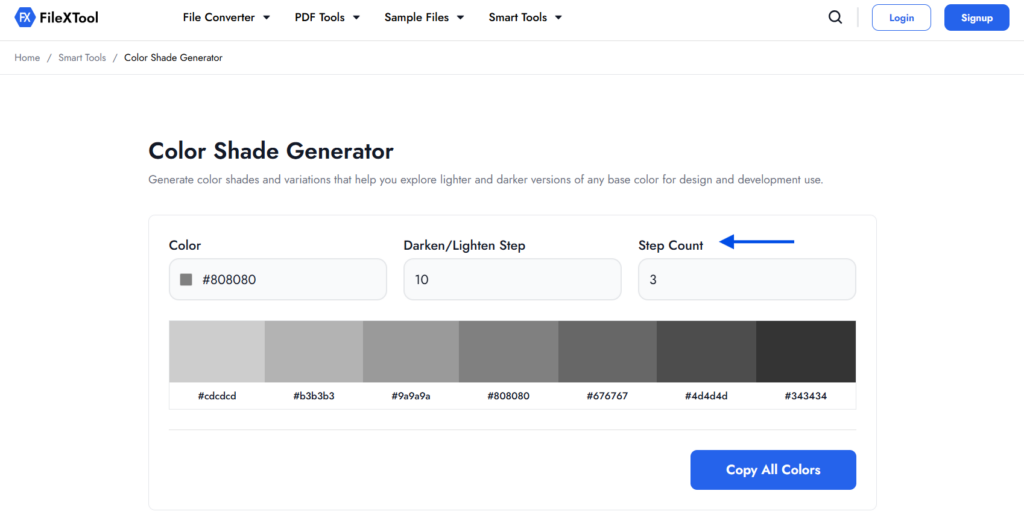
Choose how many lighter and darker color variations you want the tool to generate.
Step 5: View the Generated Color Shades
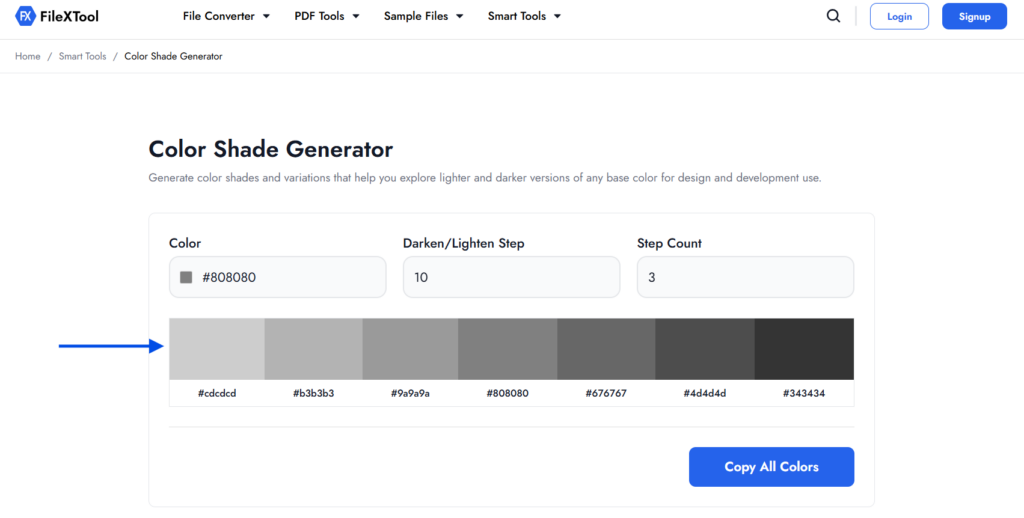
The tool instantly creates multiple lighter and darker shades of your selected color along with their HEX codes.
Step 6: Copy the Generated HEX Codes
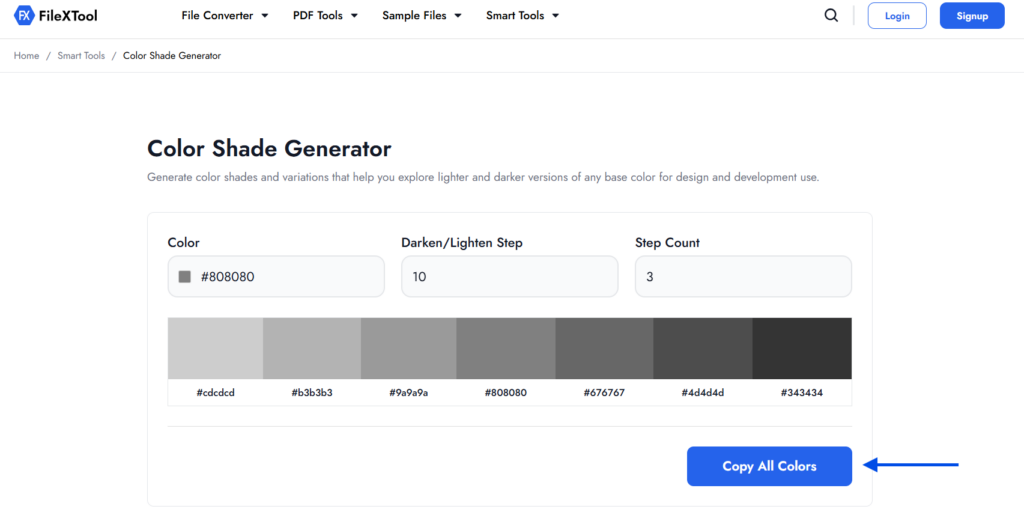
Click Copy All Colors to copy every generated HEX code at once and use them in your design, website, or development project.
How Do You Choose the Right Color Shades?
Choosing the right color shades depends on your project, audience, and the message you want to communicate. In color theory for beginners, the goal is to create a color palette that is visually balanced, easy to read, and consistent across every design element.
Instead of selecting random shades, follow a few simple best practices to achieve a professional look.
Choose Shades Based on Your Purpose
Different projects require different color combinations.
- Websites: Use subtle shades for backgrounds and high-contrast shades for buttons.
- Logos: Keep shades consistent to strengthen brand identity.
- Social Media: Use vibrant shades to grab attention.
- Presentations: Choose softer shades to improve readability.
- Mobile Apps: Maintain consistent shades for a better user experience.
Maintain Good Contrast
Always ensure there is enough contrast between the background and the text. Proper contrast improves readability and makes your content more accessible to all users.
Limit Your Color Palette
Using too many shades can make a design look cluttered. Stick to a primary color and a few complementary shades to create a clean and professional appearance.
Test Colors on Different Screens
Colors may appear differently on various devices. Preview your design on desktop, tablet, and mobile screens before publishing it.
By following these best practices, you’ll apply color theory for beginners more effectively and create designs that look consistent, attractive, and easy to understand.
Common Color Theory Mistakes Beginners Make
Learning color theory for beginners is easier when you know what mistakes to avoid. Many beginners focus only on choosing attractive colors and overlook factors like contrast, consistency, and accessibility.
Avoiding these common mistakes will help you create cleaner, more professional, and user-friendly designs.
Using Too Many Colors
Adding too many colors to a single design can make it look cluttered and confusing. Limit your palette to a few complementary colors and their shades for a more balanced appearance.
Ignoring Color Contrast
Poor contrast between text and the background makes content difficult to read. Always use sufficient contrast to improve readability and accessibility.
Choosing Random Color Shades
Randomly selecting lighter or darker variations often leads to inconsistent designs. Using a color shade generator helps create uniform shades that work well together.
Forgetting Brand Consistency
If you’re designing for a brand, use the same color palette across websites, presentations, social media, and marketing materials. Consistent colors improve brand recognition.
Not Testing Colors Before Publishing
Colors can appear differently on different screens and devices. Always preview your design before publishing to ensure the shades look consistent everywhere.
Why Use FileXTool for Creating Color Shades?
Understanding color theory for beginners is only valuable when you can apply it efficiently. Instead of switching between multiple websites for different design tasks, having everything in one place makes your workflow faster and more organized.
Along with color-related utilities, FileXTool provides a collection of practical tools that help with images, documents, videos, PDFs, and other everyday tasks. This means you can continue working on your project without searching for separate tools every time you need a different utility.
If you’re exploring more design and productivity resources, you may also find these guides useful:
Conclusion
Learning color theory for beginners is the first step toward creating designs that are visually appealing, balanced, and easy to understand. By understanding concepts like color shades, contrast, and color harmony, you can make better design decisions for websites, branding, presentations, and digital content.
Instead of creating color variations manually, using a reliable color shade generator can save time and help you maintain consistency across your projects. Whether you’re a beginner or an experienced designer, the right tools make it easier to build professional-looking color palettes.
With FileXTool, you can quickly generate lighter and darker color shades, copy HEX codes, and streamline your design workflow. Combine these practical tools with the fundamentals of color theory for beginners, and you’ll be able to create more effective and visually engaging designs with confidence.
FAQs
What Is Color Theory for Beginners?
Color theory for beginners explains how colors interact and work together. It helps you understand the color wheel, color harmony, shades, and combinations to create visually balanced and appealing designs.
What Is a Color Shade?
A color shade is a darker version of a base color created by adding black. Shades are commonly used to add depth, improve contrast, and create a stronger visual hierarchy in design projects.
Why Is Color Theory Important for Designers?
Color theory helps designers choose colors that improve readability, strengthen branding, and create better user experiences. Understanding color theory for beginners also makes it easier to build consistent and professional-looking designs.
How Do You Create Different Color Shades?
You can create color shades manually by adding black to a base color or use a color shade generator to instantly generate multiple lighter and darker variations with accurate HEX codes.
How Can FileXTool Help You Generate Color Shades?
FileXTool includes an easy-to-use Color Shade Generator that lets you create multiple color shades in seconds. Simply choose a base color, adjust the settings, and copy the generated HEX codes for your design projects.