


Website speed plays a major role in user experience, SEO rankings, and conversion rates. One of the easiest ways to improve loading speed is by choosing the right image format. Among the most popular formats, WebP and PNG are often compared because both support transparency and high-quality visuals.
But which one should you use for your website?
In this detailed comparison, we’ll explain the differences between WebP and PNG, compare their features, discuss SEO benefits, and help you decide which format is best for different use cases.
What is WebP?
WebP is a modern image format developed by Google that provides superior image compression while maintaining excellent visual quality.
It supports:
- Lossy compression
- Lossless compression
- Transparency
- Animation
- Smaller file sizes
Because WebP images are significantly smaller than traditional image formats, they help websites load faster and improve Core Web Vitals.
What is PNG?
PNG (Portable Network Graphics) is one of the most widely used image formats on the web.
It is known for:
- Lossless image quality
- Transparent backgrounds
- Sharp graphics
- High-quality screenshots
- Logos and icons
Unlike JPEG, PNG doesn’t lose image quality after compression, making it ideal for design elements.
If you’re deciding between traditional image formats, our detailed guide on JPG vs PNG explains their differences, strengths, and the best use cases for each.
WebP vs PNG: Quick Comparison
| Feature | WebP | PNG |
|---|---|---|
| File Size | Smaller | Larger |
| Compression | Lossy & Lossless | Lossless Only |
| Transparency | Yes | Yes |
| Image Quality | Excellent | Excellent |
| Website Speed | Faster | Slower |
| SEO Friendly | Highly | Moderate |
| Browser Support | Excellent | Excellent |
| Animation | Yes | No |
| Best For | Websites | Logos & Graphics |
WebP and PNG are only two of many image formats available today. Explore our guide to the different types of image file formats to understand when formats like JPG, GIF, SVG, TIFF, and AVIF are the better choice.
WebP vs PNG: Detailed Comparison
1. File Size
The biggest difference between WebP and PNG is image size.
WebP images are generally 25–35% smaller than PNG images without noticeable quality loss. Smaller images reduce page weight, resulting in faster website loading.
Winner:
WebP
2. Image Quality
PNG offers completely lossless quality, making it perfect when every pixel matters.
WebP also supports lossless compression while offering much smaller file sizes.
For most websites, users won’t notice any visible difference between high-quality WebP and PNG images.
Winner:
Tie
3. Website Speed
Image size directly impacts loading speed.
Because WebP files are smaller:
- Pages load faster
- Less bandwidth is used
- Better mobile performance
- Improved Core Web Vitals
Winner:
WebP
4. SEO Performance
Google considers page speed as an important ranking factor.
Using WebP images helps improve:
- Largest Contentful Paint (LCP)
- PageSpeed Insights Score
- User Experience
- Mobile SEO
- Bounce Rate
Faster websites generally perform better in search results.
Winner:
WebP
5. Transparency Support
Both image formats support transparent backgrounds.
This makes them suitable for:
- Logos
- Icons
- Product Images
- Stickers
- Website Graphics
Winner:
Tie
6. Compression
Uses only lossless compression.
Quality remains perfect but file size becomes much larger.
Supports both:
- Lossy compression
- Lossless compression
This flexibility makes WebP much more efficient.
Winner:
WebP
7. Browser Compatibility
Earlier, browser support was a concern for WebP.
Today, modern browsers including:
- Chrome
- Firefox
- Safari
- Microsoft Edge
- Opera
all support WebP images. Winner:
Tie
8. Image Editing
PNG has existed for decades and is supported by almost every design software.
WebP support is improving but some older applications may still require plugins. Winner:
PNG
WebP vs PNG for SEO
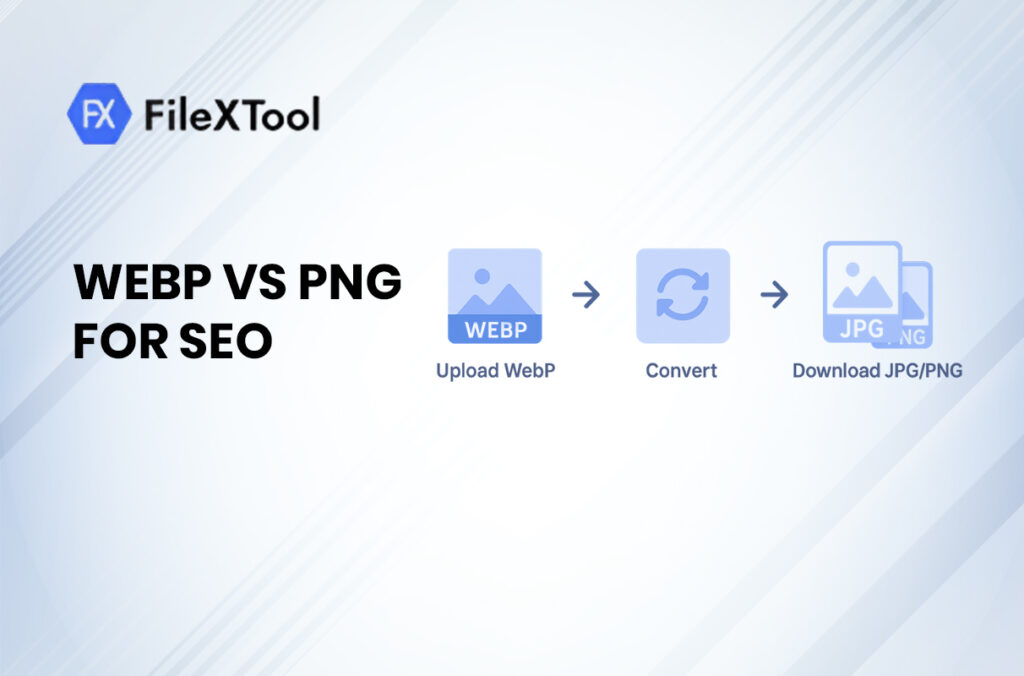
If your goal is improving search engine rankings, WebP offers several SEO advantages.
Smaller images improve page load time.
WebP helps improve:
- LCP
- FCP
- CLS (indirectly through faster rendering)
Visitors spend less time waiting for images to load.
Fast websites keep users engaged.
WebP reduces mobile data usage.
Advantages of WebP
- Smaller file sizes
- Faster website speed
- Better SEO performance
- Supports transparency
- Supports animation
- High image quality
- Better Core Web Vitals
- Saves server bandwidth
Advantages of PNG
- Pixel-perfect quality
- Excellent for logos
- Great for screenshots
- Universal software support
- Supports transparency
- Easy to edit
Disadvantages of WebP
- Limited support in some legacy software
- Older CMS plugins may require configuration
Some email clients don’t display WebP
Disadvantages of PNG
- Large file sizes
- Slower loading speed
- Increased bandwidth usage
- Can negatively affect Core Web Vitals
Choosing the right image format is just one part of image optimization. Learn more about the best image formats for web to improve website speed, user experience, and SEO.
When Should You Use WebP?
Choose WebP if you’re uploading:
- Blog images
- Website banners
- Product images
- Hero images
- Portfolio photos
- Landing page visuals
- Featured images
- Marketing graphics
WebP is the preferred format for most modern websites because it balances quality and performance.
When Should You Use PNG?
PNG is still the better choice for:
- Company logos
- Icons
- Transparent graphics
- UI elements
- High-resolution screenshots
- Images requiring pixel-perfect clarity
Can You Convert PNG to WebP?
Yes.
Many free online tools and image editors can convert PNG images into WebP without significantly reducing quality. Most modern CMS platforms and image optimization plugins also support automatic WebP conversion, making it easy to improve website performance.
If you already have WebP images and need better compatibility with certain applications or devices, our guide on how to convert WebP to JPG walks you through the process step by step.
Does Google Prefer WebP?
Google does not require websites to use WebP, but it recommends modern image formats because they improve loading speed and Core Web Vitals.
Since page speed contributes to user experience and SEO, using WebP can indirectly help your website perform better in search results.
Best Practices for Image Optimization
To maximize website performance:
- Use WebP for most website images.
- Reserve PNG for logos, icons, and graphics that require perfect clarity.
- Compress images before uploading.
- Add descriptive image file names.
- Write SEO-friendly alt text.
- Enable lazy loading for below-the-fold images.
- Use responsive image sizes for different devices.
Avoid uploading oversized images.
Frequently Asked Questions (FAQs)
Q1: Is WebP better than PNG?
Yes, for most websites. WebP provides significantly smaller file sizes while maintaining excellent image quality, resulting in faster loading speeds and better SEO performance.
Q2: Is PNG still useful?
Yes. PNG remains the preferred format for logos, icons, illustrations, and images where lossless quality is essential.
Q3: Does WebP reduce image quality?
Not noticeably in most cases. WebP offers excellent compression while preserving visual quality, especially at high-quality settings.
Q4: Which image format loads faster?
WebP typically loads faster because its files are much smaller than PNG images.
Q5: Should I convert all PNG images to WebP?
Not necessarily. While most photos and website images benefit from WebP, logos, UI elements, and graphics that require precise detail may still be better suited to PNG.
Conclusion
When comparing WebP vs PNG, the best choice depends on your specific needs.
If your priority is website speed, SEO, Core Web Vitals, and overall performance, WebP is the clear winner. Its smaller file sizes and efficient compression help create faster, more user-friendly websites.
However, PNG continues to be an excellent option for logos, icons, screenshots, and graphics that demand lossless quality and pixel-perfect precision.
For the best results, use WebP for photos and general website images, while keeping PNG for design assets that require maximum visual accuracy. This balanced approach ensures your website delivers both outstanding performance and high-quality visuals.
Explore FileXTool for free online tools that help you convert images, optimize file sizes, and choose the right formats for better website performance.