


Images are a major part of digital content today. From websites and social media to graphic design and online documents, different image formats help store, display, and share visuals in different ways. This is why understanding the types of image file formats is important for anyone working with digital files.
Many people use image files every day without realizing that each format serves a different purpose. Some formats focus on smaller file size, some preserve image quality, while others support transparency or advanced editing. Knowing these differences can help you choose the right format more confidently.
Whether you manage a website, create graphics, edit photos, or simply work with images regularly, learning about common image file formats can improve compatibility, performance, and overall file management. This guide explains the most widely used formats in a simple and practical way so you can understand where each one fits best.
What Are Image File Formats?
Image file formats are different ways of storing digital images based on quality, compression, transparency, compatibility, and usage needs. Different types of image file formats are designed for different purposes, which is why some formats work better for websites, some for editing, and others for printing or graphic design.
Some common image file formats focus on reducing file size, while others preserve maximum image quality or support advanced editing features. Users often rely on an image file converter when they need better compatibility between platforms, devices, or applications.
From JPG and PNG to WebP, TIFF, SVG, and RAW, every format offers different advantages depending on how the image will be used. The next section explains the most widely used different file types for images along with their practical use cases.
12 Types of Image File Formats
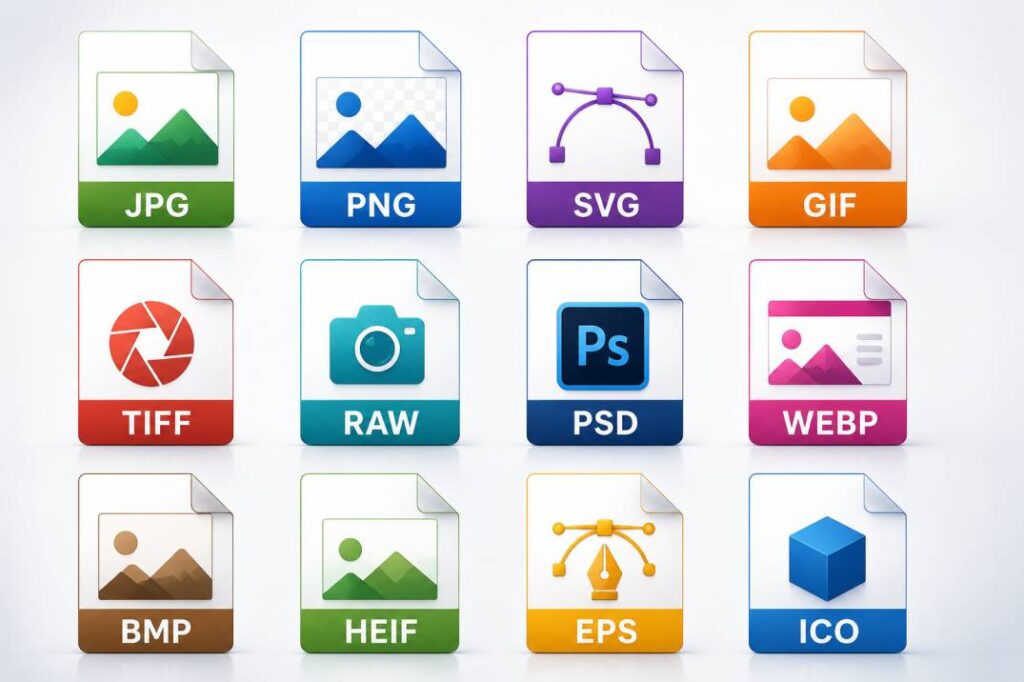
There are dozens of types of image file formats available today, but only a handful are used regularly across web, design, editing, and professional workflows.
Below are the 12 most important types of image file formats you need to know — explained simply with their best use cases, pros, and cons.
Exploring resources like best sample files of different formats can also help you understand how these formats behave in real-world use cases
1. JPEG / JPG (Joint Photographic Experts Group)
JPEG and JPG are the same format — JPG is just a shorter version of the file extension used on older Windows systems.
- Compression type: Lossy — reduces file size by permanently removing some image data
- Best for:
- Blog images and article photos
- Product photos on eCommerce sites
- Social media visuals and banners
- Pros:
- Very small file size — great for fast-loading web pages
- Universally supported across all browsers and devices
- Cons:
- Quality degrades slightly every time you save the file
- Does not support transparent backgrounds
JPEG and JPG are the same format — JPG is just a shorter version of the file extension used on older Windows systems. Among all types of image file formats, JPEG is the most widely used for everyday photography and web content.
2. PNG (Portable Network Graphics)
PNG was created as an improved alternative to GIF and is now one of the most widely used image formats on the web.
- Compression type: Lossless — no quality is lost when the file is saved
- Best for:
- Logos and brand graphics
- Screenshots and UI elements
- Any image requiring a transparent background image
- Pros:
- Supports full transparency — perfect for layered designs
- Maintains sharp edges and text clarity
- Cons:
- Larger file size compared to JPEG
- Not ideal for photographs where file size matters
Looking at a sample image file in PNG format can help users understand how transparency and sharp edges are preserved compared to compressed formats.
3. GIF (Graphics Interchange Format)
GIF is one of the oldest image formats still in active use today, primarily known for supporting simple animations.
- Compression type: Lossless — but limited to a maximum of 256 colors
- Best for:
- Short looping animations
- Simple web graphics and icons
- Reaction images and social media content
- Pros:
- Supports animation without needing video
- Wide compatibility across all platforms
- Cons:
- Very limited color range — not suitable for photographs
- Larger file size compared to modern animation formats like WebP
4. HEIC (High Efficiency Image Coding)
HEIC is the default photo format used by Apple on iPhones and iPads since iOS 11.
- Compression type: Lossy — but far more efficient than JPEG at the same quality level
- Best for:
- iPhone and iPad photo storage
- Situations where storage space needs to be saved
- High-quality mobile photography
- Pros:
- Half the file size of JPEG at similar or better quality
- Supports multiple images and image sequences in one file
- Cons:
- Not supported by most Windows software and older browsers
- Needs conversion before sharing on web or non-Apple platforms.
HEIC is the default photo format used by Apple on iPhones and iPads since iOS 11. It is one of the more efficient types of image file formats available today — offering better compression than JPEG at similar quality.
5. BMP (Bitmap Image File)
BMP is one of the oldest image formats, originally developed by Microsoft for Windows.
- Compression type: Uncompressed — stores every pixel individually with no data reduction
- Best for:
- High-quality image storage on Windows systems
- Situations where no compression loss is acceptable
- Legacy software and older Windows applications
- Pros:
- No compression means zero quality loss
- Simple format — easy for software to read and write
- Cons:
- Extremely large file sizes — impractical for web use
- In most modern workflows, PNG often provides similar quality with better compression efficiency.
6. ICO (Icon File)
ICO is a format specifically designed for small-sized icons used in operating systems and websites.
- Compression type: Lossless — can contain multiple image sizes within a single file
- Best for:
- Website favicons (the small icon shown in browser tabs)
- Desktop application icons
- System and software UI icons
- Pros:
- Stores multiple resolutions in one file — browser picks the right size automatically
- Specifically optimized for small icon display
- Cons:
- Not suitable for general-purpose image use
- Limited support outside of icon-specific contexts
7. TIF / TIFF (Tagged Image File Format)
TIFF is a high-quality format widely used in professional photography, printing, and publishing industries.
TIFF remains one of the more specialized different file types for images used in professional print and publishing environments.
- Compression type: Lossless — preserves every detail of the original image
- Best for:
- Professional photography and photo editing
- Print production and publishing workflows
- Archiving high-quality images for long-term storage
- Pros:
- Extremely high image quality — no detail is lost
- Supports layers and multiple pages in a single file
- Cons:
- Very large file sizes — not suitable for web use
- Not supported natively in most web browsers
TIFF is a high-quality format widely used in professional photography, printing, and publishing industries. Among different file types for images, TIFF is the preferred choice wherever maximum quality is non-negotiable.
8. PSD (Adobe Photoshop Document)
PSD is the native file format of Adobe Photoshop, designed specifically for editing and design work.
- Compression type: Lossless — preserves all layers, masks, and adjustment data
- Best for:
- Active design and photo editing projects in Photoshop
- Storing layered design files for future editing
- Professional graphic design and branding workflows
- Pros:
- Supports unlimited layers, masks, and smart objects
- Retains full editing flexibility for complex designs
- Cons:
- Only fully supported in Adobe software
- Not for web publishing — must be exported to JPG, PNG, or WebP before use
9. WebP
Among modern types of image file formats, WebP is often discussed for balancing image quality and web performance.
- Compression type: Both lossy and lossless — you choose based on your needs
- Best for:
- All types of web images — photos, graphics, and icons
- Performance-focused websites that prioritize fast loading
- Replacing JPG and PNG to improve Core Web Vitals image optimization
- Pros:
- 25–35% smaller file size than JPEG at the same visual quality
- Supports transparency like PNG and animation like GIF
- Cons:
- Not supported in some older browsers like Internet Explorer
- Less compatible with older image editing software
WebP is a modern image format developed by Google, designed to replace both JPEG and PNG for web use. It is one of the most performance-focused types of image file formats available for websites today.
10. SVG (Scalable Vector Graphics)
SVG is a vector-based image format that stores images as mathematical instructions rather than pixels — making it fundamentally different from all raster formats on this list.
SVG is commonly used when scalable graphics need to remain sharp across different screen sizes and devices.
- Compression type: Not applicable — vector paths are inherently scalable with no quality loss
- Best for:
- Logos and brand identity assets
- Website icons and interface illustrations
- Any graphic that needs to look sharp across all screen sizes
- Pros:
- Infinitely scalable — no pixelation at any size
- Tiny file size for simple graphics
- Cons:
- Not suitable for photographs or complex photographic images
- Requires vector-based creation — cannot convert a photo to SVG meaningfully
11. RAW
RAW is not a single format but a category of unprocessed image files captured directly by digital camera sensors.
Unlike many common image file formats, RAW files are designed mainly for editing flexibility rather than direct sharing or publishing.
- Compression type: Uncompressed or minimally compressed — stores raw sensor data
- Best for:
- Professional photography and post-production editing
- Situations where maximum editing flexibility is needed
- Studio and commercial photography workflows
- Pros:
- Contains the maximum amount of image data for editing
- Allows complete control over exposure, color, and detail in post-processing
- Cons:
- Cannot be used directly on websites — requires processing and export
- Very large file sizes and proprietary formats differ by camera brand (CR2, NEF, ARW, etc.)
RAW is not a single format but a category of unprocessed image files captured directly by digital camera sensors. Among all common image file formats, RAW stores the most data — making it essential for professional photography workflows.
12. EXR (OpenEXR Image File)
EXR is a high dynamic range image format developed by Industrial Light & Magic for use in film and visual effects production.
- Compression type: Lossless — stores high-precision color and depth data
- Best for:
- VFX compositing and 3D rendering pipelines
- Film and animation production workflows
- HDR image storage for professional visual media
- Pros:
- Stores far more color and lighting data than any standard format
- Supports multiple channels — ideal for complex compositing work
- Cons:
- No use case for everyday web or graphic design work
- Requires specialized software to open and edit
How to Choose the Right Image Format
Choosing the right format becomes easier when you understand how different images are used. Since all types of image file formats are designed for different purposes, selecting the correct one often depends on image quality, transparency, file size, editing flexibility, and compatibility needs.
Choosing the Right Format for Different Needs
- For websites and blogs
JPG and WebP are commonly used because they help balance image quality and loading speed.
- For logos and transparent graphics
PNG and SVG are often preferred when clean edges or transparency support are important.
- For professional photography
RAW and TIFF formats are useful when preserving maximum image detail matters.
- For social media graphics
JPG and PNG remain among the most practical common image file formats for online sharing and visual content.
- For printing and publishing
TIFF files are widely used because they maintain high-quality output during print workflows.
- For editing and layered design work
PSD files are useful when projects require advanced editing flexibility inside Photoshop.
- For converting between formats
In some cases, users may need resources like how to convert JPG to PNG file when transparency or image quality requirements change.
Image Format Conversion Tools and Use Cases
Different image formats are useful for different workflows, which is why image conversion tools are often needed when compatibility, quality, or file size requirements change.
Many users work with multiple types of image file formats while handling websites, graphics, presentations, or social media visuals. In such cases, converting files into a more suitable format can improve usability, editing flexibility, or overall performance.
Popular Image Conversion Tools
- jpg to png file converter
- jpeg to gif file converter
- png to jpg file converter
- jpg to bmp file converter
- gif to jpg file converter
Common Mistakes People Make With Image Formats
Many users work with image files every day but still choose formats without understanding how they affect quality, compatibility, or performance. Since different types of image file formats serve different purposes, small mistakes in format selection can create unnecessary issues later.
Common Mistakes to Avoid
- Using PNG files for large photographs when smaller formats may work better
- Saving JPG files repeatedly, which can gradually reduce image quality
- Choosing formats without checking browser or software compatibility
- Uploading uncompressed images directly to websites
- Using the wrong format for transparency needs
- Ignoring file size while sharing or publishing images online
- Selecting image formats based only on popularity instead of actual use case
- Not understanding how different file types affect editing flexibility
Final Thoughts
There is no single image format that works perfectly for every situation. Some formats are better for websites, some are designed for editing, while others are more suitable for printing, transparency, or long-term storage. Understanding these differences is what makes working with digital images much easier.
As more platforms, devices, and content types continue to evolve, knowing the right types of image file formats can help improve compatibility, maintain image quality, and avoid unnecessary file issues. Even simple format choices can make a noticeable difference in performance and usability.
For users who frequently manage or convert image files, platforms like FileXTool can make these workflows simpler by helping handle different formats more efficiently when requirements change.
FAQs
1. What is JPEG, PNG, and TIFF?
JPEG, PNG, and TIFF are some of the most widely used types of image file formats. JPEG is commonly used for photographs and web images, PNG supports transparency and sharper graphics, while TIFF is mainly used for professional printing and high-quality image storage.
2. What are the three common file types of an image file?
Among the most popular common image file formats are JPG, PNG, and GIF. JPG is useful for photos, PNG works well for transparent graphics, and GIF is mainly used for simple animations and lightweight visuals.
3. What extensions are used for images?
Image files use extensions such as .jpg, .png, .gif, .bmp, .webp, .svg, and .tiff. These extensions help devices and software identify different file types and their supported features.
4. Which image format is best for websites?
The best format often depends on the image type and performance needs. JPG and WebP are commonly used for web photos, while PNG is preferred for graphics and transparent backgrounds. Choosing between different file types for images depends on quality, speed, and compatibility requirements.
5. Why are there different image file formats?
Different formats exist because digital images are used for different purposes. Some formats reduce file size, some maintain higher quality, while others support transparency or advanced editing. Understanding the types of image file formats helps users choose the right option for each task.