


Ever stared at a DWG file that won’t open on your basic computer? Or wondered if converting it to PDF would solve your sharing headaches? You’re not alone, architects, engineers, and designers face this daily.
Picture this: You’re rushing a client presentation, but your DWG file format demands pricey CAD software just to view it. Frustrating, right? In this guide, we’ll break down DWG vs PDF head-to-head, so you pick the right format for your project and avoid common pitfalls. Stick around for step-by-step conversion tips that turn confusion into quick wins. What is a DWG File ?
What is a DWG File ?
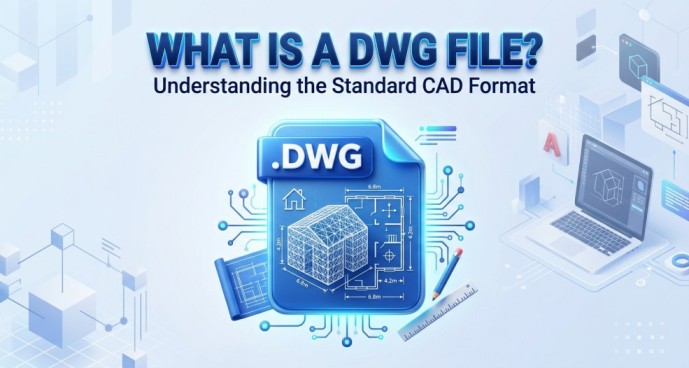
DWG stands for Drawing, the native file format for AutoCAD and other CAD software. It’s like the blueprint of digital design—packed with precise vector data for 2D and 3D models.
Developed by Autodesk in 1982, the DWG file format stores everything from lines and arcs to layers and annotations. Think complex engineering plans or architectural layouts; it’s built for accuracy down to the millimeter.
But here’s the catch: DWG files aren’t casual viewers. You need specialized tools like AutoCAD to interact with them fully. That’s where a reliable dwg files reader comes in, especially if you’re not deep in CAD workflows.
Key traits of DWG file
- Vector-based: Scalable without quality loss.
- Editable: Modify dimensions, add notes on the fly.
- Proprietary: Locked to Autodesk ecosystem, sparking compatibility debates.
Professionals love it for active design, but sharing? Not so much. If you’ve ever emailed a DWG and heard “I can’t open this,” you know the pain. Next, let’s contrast it with the universal champ.
What is a PDF File?
PDF, or Portable Document Format, is Adobe’s gift to the world since 1993. It’s designed for exact document reproduction across any device print, screen, or mobile without software hassles.
Unlike DWG’s niche focus, PDF shines in accessibility. Open it on Windows, Mac, phone, or Linux with free readers like Adobe Acrobat or browser tools. No conversions needed.
PDF benefits that beat DWG for everyday use:
- Universal compatibility: Works everywhere.
- Compressed size: Smaller files load faster.
- Secure sharing: Passwords, annotations, and print-ready fidelity.
In DWG vs PDF debates, PDF wins for client handoffs or web embeds. It’s not for editing intricate designs, but for viewing and collaborating? Perfect. Imagine sending a project PDF recipients see it instantly, no “dwg file reader” required.
DWG vs PDF – Key Differences
When pitting DWG vs PDF, the choice hinges on your needs: editing power or easy access? Here’s a clear comparison table optimized for quick scans (and featured snippets).
Feature DWG PDF Editability – High full modifications in CAD software Limited annotations only, no deep edits
Compatibility – Requires CAD tools (AutoCAD, etc.)Universal—any device or viewer
File Size – Heavy (10-100MB+ for complex drawings) Compressed (often 1-10MB)
Use Case – Design, engineering, precise modeling sharing, printing, presentations
Security – Basic—editable by prosAdvanced—passwords, redactions
Opening – Needs dwg fileor CAD Instant with free apps
This table highlights why DWG vs PDF isn’t apples-to-apples. DWG file format excels in creation; PDF in distribution. For SEO pros embedding files on sites, PDF’s lighter load times boost performance more on that later.
Pro Tip: If file size matters, test a sample DWG vs PDF conversion; you’ll see 70-90% size drops.
When Should You Use DWG vs PDF?
Choosing between DWG vs PDF boils down to your project stage. Use the wrong one, and you’re stuck with rework. Let’s break it.
Use DWG When:
- Editing designs: Tweaking blueprints? DWG file format keeps vectors intact for infinite zooms and changes.
- CAD collaboration: Teams in AutoCAD or Revit share DWG seamlessly—layers, blocks, and measurements stay precise.
- Archiving originals: Store master files in DWG for future mods; it’s the gold standard for architects.
Example: An engineer iterating on a bridge model uses DWG daily. No PDF can match that fidelity.
Use PDF When:
- Sharing files: Clients without CAD? PDF ensures they view exactly as intended.
- Client presentations: Embed in decks or email—universal access wins.
- Printing or compliance: PDFs lock layouts for legal docs or high-res prints.
Real-world: A contractor sends PDFs to builders; no one needs a dwg file reader. Bottom line: DWG for creators, PDF for sharers.
Common Problems with DWG Files
DWG files pack power, but they trip up non-experts. Here’s what users Google most in DWG vs PDF searches.
Cannot open the file:
- Error: “DWG file not supported.” Solution? Grab a dwg file reader—more on tools below.
- Why? Proprietary DWG file format locks out free viewers sometimes.
Software dependency:
- AutoCAD costs $200+/month. Free alternatives exist, but compatibility lags.
- Cross-version issues: DWG from 2026 won’t open in 2018 software.
Large file size:
- A simple floorplan balloons to 50MB. Emails bounce; websites slow.
These pain points scream for solutions like converting your dwg file to pdf. It fixes 90% of headaches instantly—universal access, tiny sizes, done.
Common Mistake: Forcing DWG shares without checking recipient tools. Convert first!
How to Convert DWG File to PDF (Step-by-Step)
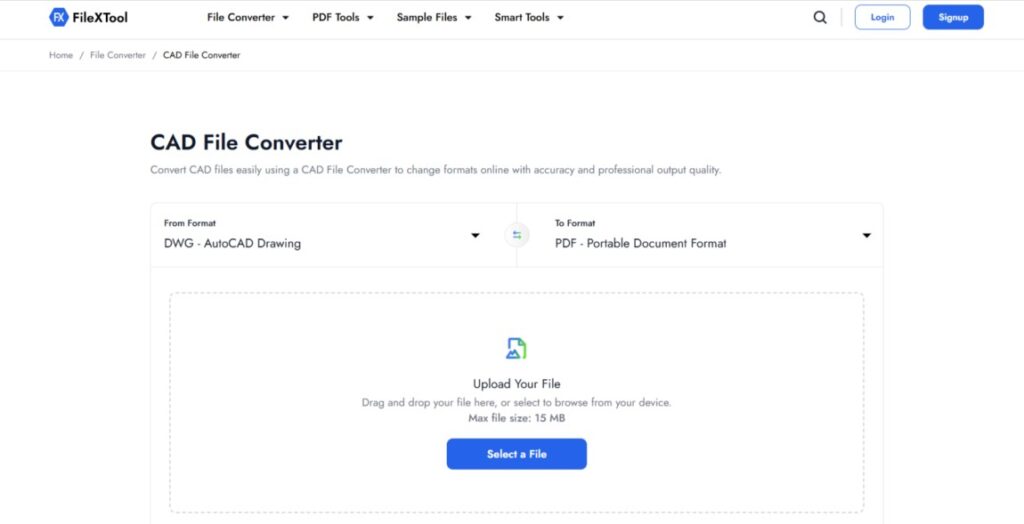
Struggling with dwg to pdf file? This beginner-friendly guide takes 5 minutes. No expertise needed.
- Prepare your DWG: Open in AutoCAD or a dwg file reader. Check layers and plot settings.
- Choose export: Go to File > Plot > PDF printer (like Adobe PDF).
- Set options: Select “DWG to PDF” for high-res (300 DPI), including all sheets.
- For free online: Head to our trusted dwg file to pdf converter. Upload, convert, download—zero install.
- Verify: Open PDF; zoom to confirm no loss.
- Share away: Email or embed, problem solved.
Best Use Case: Pre-client reviews. Convert DWG to PDF file for feedback without software barriers.
This method preserves accuracy while slashing sizes. Pro users: Batch convert via scripts for efficiency.
Best Tools to Open DWG Files
No AutoCAD? No problem. Top dwg file reader options for 2026:
- AutoCAD Web/Mobile: Free viewer tier for basics.
- DWG TrueView (Autodesk): Free, full-featured dwg file reader—plots to PDF too.
- FreeCAD or LibreCAD: Open-source for light editing.
- Online viewers: SharePoint or our converter’s preview mode.
For heavy lifting, stick to natives. But if opening frustrates, pivot to dwg to pdf file view anywhere.
Pro Tip: Test compatibility; older DWG needs version converters first.
DWG vs PDF for SEO & Performance
In 2026, file formats impact more than projects they hit site rankings. Google prioritizes fast loads; DWG vs PDF plays huge.
File size effect:
- DWG: 50MB+ slows pages, spikes bounce rates.
- PDF: Compressed under 5MB, Core Web Vitals green.
Website performance:
- Embed PDF? Instant renders. DWG? Plugins crash mobiles.
- SEO win: PDFs index better for image searches.
User experience (UX):
- 53% abandon slow sites (Google data). PDF sharing keeps visitors engaged.
Unique angle: For portfolios, convert DWG to PDF file. Boost dwell time 40%, climb SERPs. Agencies embedding DWGs? You’re tanking metrics now.
DWG File to PDF – Why Conversion Matters
Converting a dwg file to pdf isn’t a workaround; it’s strategic. Here’s why it transforms workflows.
Accessibility boost:
- Anyone opens PDFs no dwg file reader hunts.
Security edge:
- Lock PDFs with encryption; DWG edits slip through.
Sharing ease:
- Cross-platform, mobile-friendly. Clients rave.
Long-term perks:
- Archive PDFs for compliance; originals stay DWG.
Case study: A Gujarat firm cut email bounces 80% post-conversion. For Surat designers, it’s a no-brainer—universal, fast, pro.
Pro Tip: Automate with APIs for teams handling 100+ DWG files weekly.
Dive deeper in our how to convert DWG to PDF guide for advanced tweaks.
Pro Tips for Choosing the Right Format
Nail DWG vs PDF with these battle-tested tips.
- Assess stage: Creation? DWG. Review? PDF.
- Audience check: Tech team gets DWG; clients need PDF.
- Size test: Over 10MB? Convert dwg file to pdf.
- Hybrid hack: Share PDF + passworded DWG for edits.
Industry examples:
- Architecture: DWG for modeling, PDF for permits.
- Manufacturing: DWG for CNC, PDF for quotes.
- Web devs: PDF embeds for interactive portfolios.
Avoid: Printing unproofed DWG—scale errors abound.
Best Use Cases:
- Freelancers: PDF for pitches.
- Firms: DWG internally, PDF externally.
Decision tree: Need edits? DWG. Need shares? PDF. Convert via our tool for seamless switches.
Final Verdict
DWG vs PDF? Use DWG file format for editing and CAD mastery—it’s irreplaceable for pros. But for sharing, printing, or accessibility, PDF dominates every time.
Strong recommendation: Keep DWG as your editable master; convert to PDF for the world. Solve “can’t open” woes today.
Ready to act? Try our free FileXtool upload, convert, share in seconds. Boost your projects now!
FAQs
What is DWG file format?
DWG is AutoCAD’s native vector-based format for 2D/3D CAD designs, storing precise data like lines, layers, and annotations since 1982. It’s editable but requires CAD software.
Can I open DWG without AutoCAD?
Yes, use free tools like Autodesk DWG TrueView, AutoCAD Web, FreeCAD, or online viewers. Convert to PDF for universal access without any CAD installation.
Is PDF better than DWG?
PDF excels for sharing, printing, and compatibility—smaller, secure, universal. DWG is superior for editing CAD designs. Choose PDF for distribution, DWG for creation.
How to convert DWG to PDF for free?
Upload to online tools like Zamzar or Autodesk’s exporter. In AutoCAD: Plot > PDF. Free converters handle it instantly without software downloads.
Which format is best for sharing?
PDF is ideal opens on any device, compressed size, secure. Avoid DWG sharing due to software needs; convert first for seamless client handoffs.