


Barcodes are widely used in businesses, retail stores, and inventory systems to quickly identify products and information. If you are wondering how to generate barcode, the process is actually simple and can be done online without any technical skills.
A barcode converts numbers or text into a machine-readable code that scanners can quickly read. Learning how barcode systems work helps businesses manage products, track inventory, and organize data more efficiently.
In this guide, you will learn how to generate barcode step by step using a simple method. This approach allows you to create barcode online quickly and produce a professional barcode image that can be used for products, labels, or business systems.
How to Generate Barcode (Step-by-Step Guide)
If you want to understand how to generate barcode, following a simple step-by-step process makes it quick and easy. Using tools available on FileXTool, you can generate a barcode in just a few clicks and download it for immediate use in your projects or business workflows.
Step 1: Open the FileXTool Website
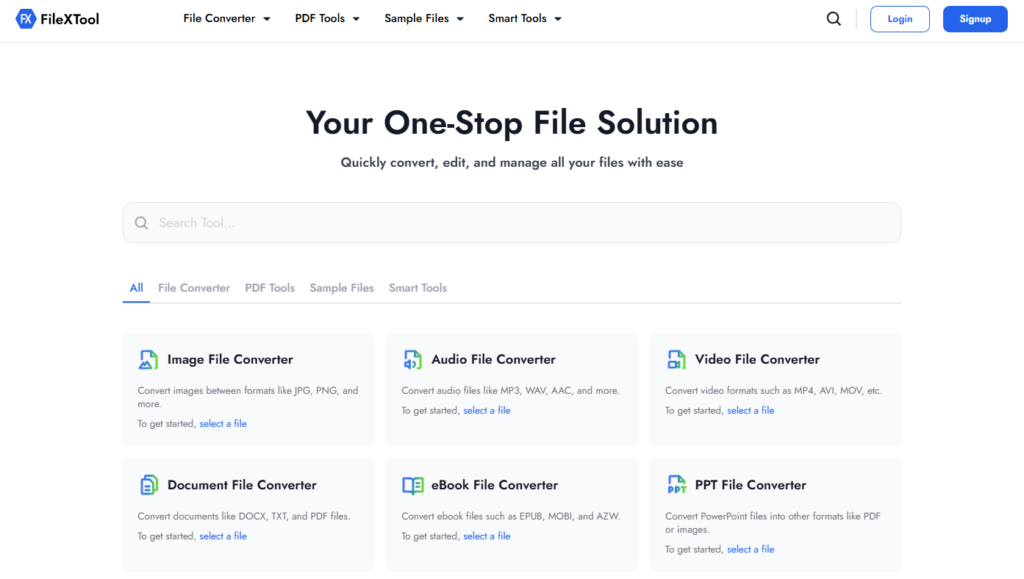
Open the FileXTool website in your browser to begin the process of learning how to generate barcode using a simple online method.
Step 2: Click on the Smart Tools Option
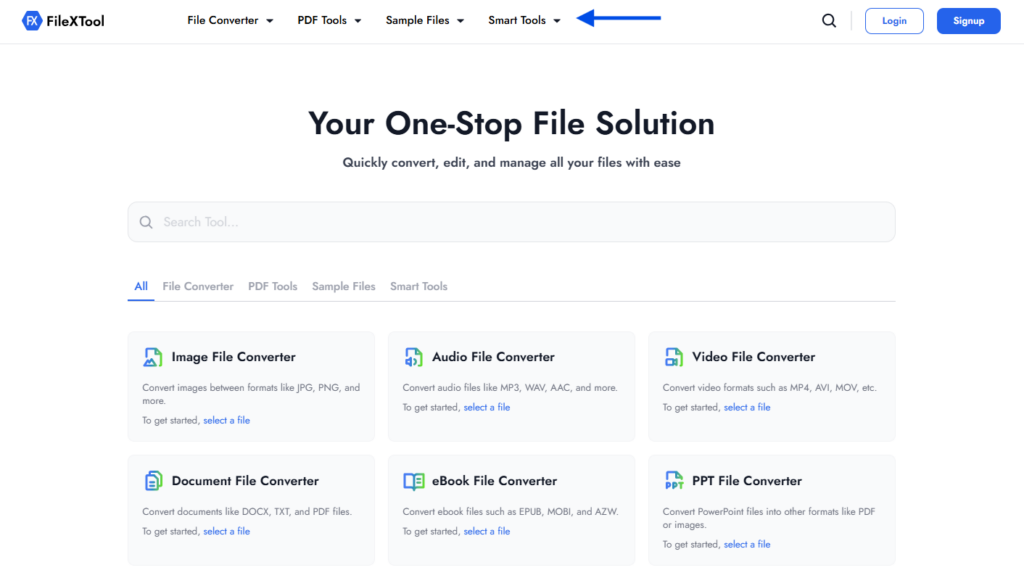
On the homepage, find and click the Smart Tools section. This area includes several utilities that allow users to create barcode online and perform other helpful digital tasks.
Step 3: Select the Barcode Generator Option
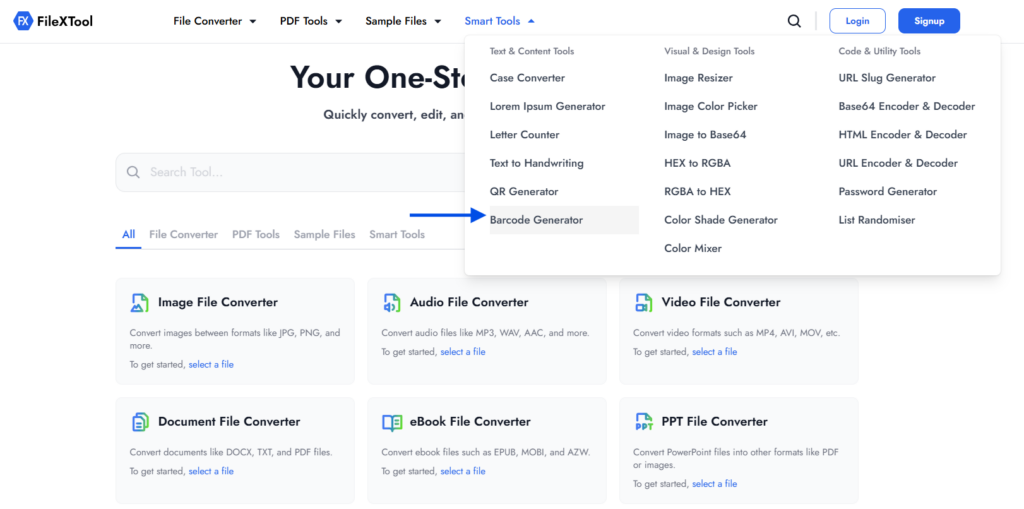
From the list of available tools, choose Barcode Generator. This will open the tool that works as a simple business barcode generator where you can start creating your barcode.
Step 4: Enter the Barcode Value
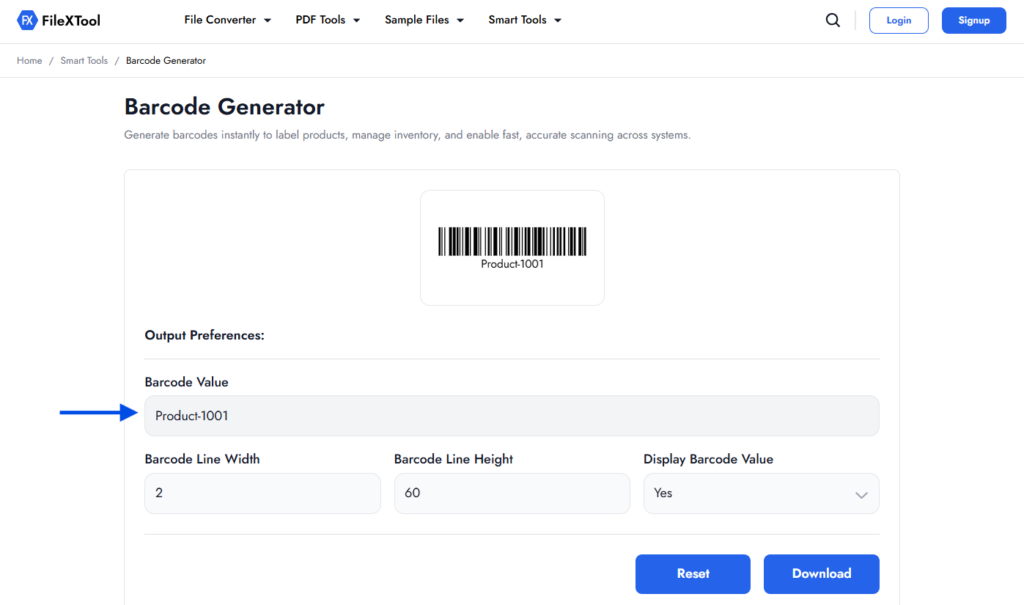
In the Barcode Value field, type the text or number that you want to convert into a barcode. This could be a product code, item number, or any data you want to encode while learning how to generate barcode.
Step 5: Adjust the Barcode Settings
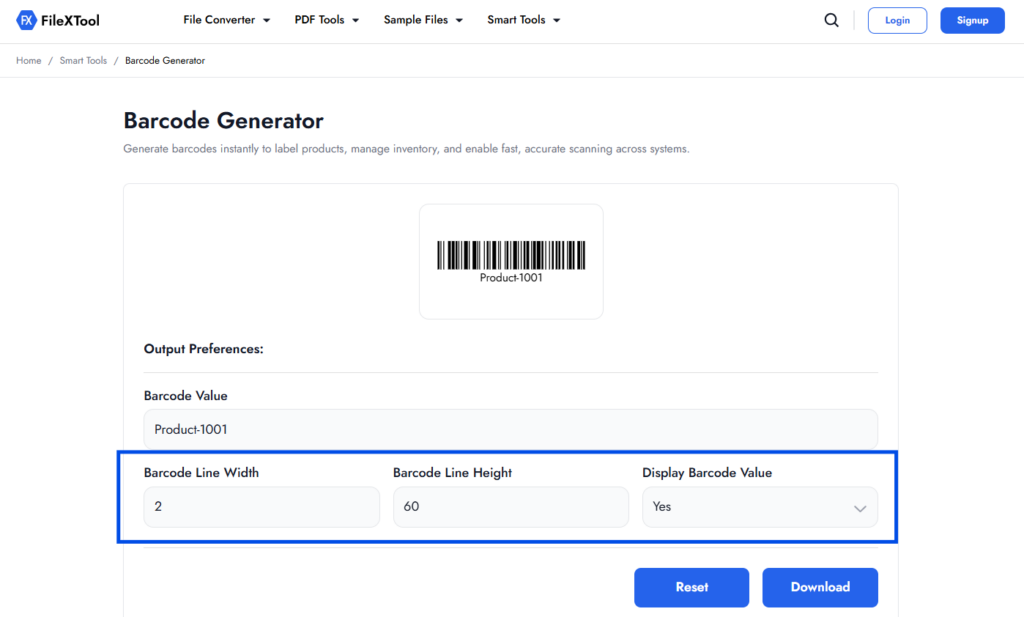
You can customize the barcode by adjusting different settings such as line width and line height. You can also choose whether the barcode value should appear below the barcode for easier identification.
Step 6: Click on Download
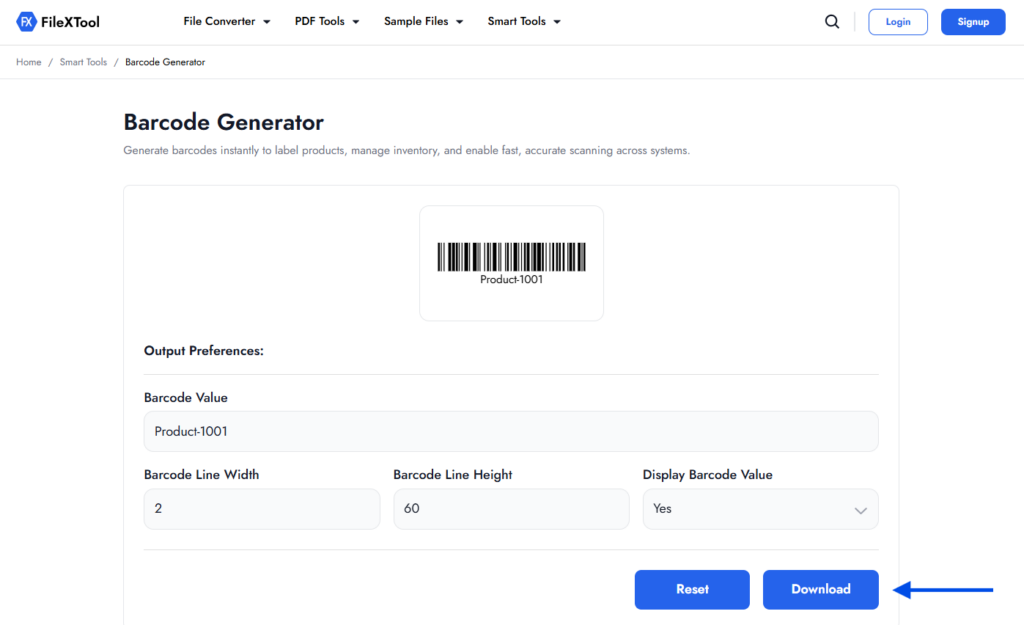
Once everything is set, click the Download button. The tool will generate barcode instantly and allow you to save the barcode image to your device for use on labels, products, or documents.
In many cases, businesses also use scannable codes for sharing links, product details, or digital information. If you want to create similar scannable graphics for URLs or contact details, you can also explore How to Generate QR Code for quick digital sharing.
Important Settings When You Generate Barcode
After learning how to generate barcode, understanding the basic settings helps you create a barcode that scans correctly and looks clear on labels or documents. Small adjustments in barcode formatting can make a big difference in readability and usability.
When you generate barcode using an online tool, settings such as line width, line height, and displaying the barcode value determine how the barcode will appear once downloaded.
Line Width
Line width controls the thickness of the barcode bars. Choosing the right width ensures the barcode scanner can read the code easily without errors.
A balanced width is important when you create barcode online, especially if the barcode will be printed on small product labels.
Line Height
Line height determines how tall the barcode appears. A slightly taller barcode usually improves scanning accuracy because scanners can read the lines more clearly.
Adjusting height is useful when using a business barcode generator for packaging, inventory tags, or shipping labels.
Show Barcode Value
Many barcode tools allow you to display the encoded number or text below the barcode. This helps users manually verify the value if a scanner is not available.
Displaying the value is especially helpful in documents or labels where barcodes are shared along with other files. For example, if you are organizing product documents or testing formats, resources like 10 Best Sample Files of Different Formats can also help you understand how different file types work across workflows.
Why Businesses Use Barcode Generators
Barcodes play an important role in modern business operations. Once you understand how to generate barcode, it becomes easier to label products, manage inventory, and track items efficiently across different systems.
Many businesses create barcode online to simplify product identification and reduce manual errors. A simple business barcode generator allows companies to quickly produce barcode labels that can be scanned in stores, warehouses, and logistics systems.
Key Benefits of Using Barcodes
- Faster product identification – Barcodes allow quick scanning instead of manual data entry.
- Improved inventory management – Businesses can track stock levels more accurately.
- Reduced human errors – Automated scanning reduces mistakes during product handling.
- Better organization – Products, documents, and packages become easier to categorize.
Barcodes are often used along with other digital tools in business workflows. For example, when documents need to be organized or prepared for sharing, tasks like How to Convert PPT to PDF can help convert presentation files into a more secure and shareable format.
Understanding how to generate barcode can therefore improve not only product tracking but also the overall efficiency of digital and document management processes.
Common Mistakes to Avoid When Generating Barcodes
While learning how to generate barcode, some small mistakes can affect how well the barcode works. A barcode that looks correct visually may still fail to scan if the settings or placement are not chosen properly.
Avoiding common issues helps ensure that the barcode you generate barcode for products, labels, or documents remains clear and easy for scanners to read.
Using Very Small Barcodes
One common mistake is creating barcodes that are too small. If the lines are extremely thin or the barcode height is too short, scanners may struggle to read the code.
When you create barcode online, always choose a size that remains clear after printing or adding it to labels and documents.
Poor Print Quality
Low-quality printing can make barcode lines blurry or faded. This often happens when barcodes are printed on low-resolution printers or compressed images.
To ensure proper scanning, the barcode image generated from a business barcode generator should be printed clearly with good contrast between the bars and the background.
Placing Barcodes Too Close to Other Elements
Barcodes should always have enough empty space around them, often called a “quiet zone.” If text, graphics, or borders appear too close to the barcode, scanners may not detect the code properly.
This is especially important when barcodes are added to documents that are later edited or reorganized. In such situations, tasks like How to Split PDF Pages can help separate sections of a document to maintain a clean layout.
Encoding Incorrect Data
Another common issue is entering the wrong value while generating the barcode. Even a small mistake in numbers or text can produce a barcode that does not match the intended product or item.
Before downloading the barcode, always double-check the value you entered while learning how to generate barcode to ensure accuracy.
Where Barcodes Are Commonly Used
After understanding how to generate barcode, it becomes easier to see how widely barcodes are used in everyday systems. Businesses rely on barcodes to quickly identify products, track items, and manage data without manual entry.
When companies generate barcode labels, they can place them on products, packaging, or documents so scanners can instantly read the encoded information. This helps improve efficiency and reduces operational errors.
Common Areas Where Barcodes Are Used
- Retail stores – Barcodes are scanned at checkout counters to identify products and process sales quickly.
- Warehouses and inventory systems – Businesses create barcode online to track stock levels and manage storage locations.
- Shipping and logistics – Packages often contain barcode labels to help companies monitor delivery and shipment status.
- Libraries and document systems – Books, files, and records use barcodes for easy identification and tracking.
- Healthcare systems – Hospitals use barcodes to manage patient records, medicines, and equipment.
Barcodes are also commonly used along with digital document workflows. For instance, when businesses prepare files for sharing or archiving, tasks like How to Merge PDF Files can help combine multiple documents into a single organized file.
Understanding how to generate barcode allows businesses to integrate barcode labels into many everyday processes, improving both speed and accuracy.
Tips for Creating Clear and Scannable Barcodes
After learning how to generate barcode, it is important to ensure that the barcode remains clear and easy for scanners to read. Small adjustments in size, contrast, and placement can greatly improve scanning accuracy and usability.
When you create barcode online, following a few simple practices helps make sure the barcode works properly on labels, packaging, or documents.
Use Proper Barcode Size
A barcode should not be too small or compressed. Keeping the bars clear and properly spaced ensures scanners can read the code without errors when you generate barcode for products or labels.
Maintain Good Contrast
Barcodes work best when there is strong contrast between the bars and the background. Dark bars on a light background usually provide the best scanning results.
Leave Enough Empty Space Around the Barcode
Barcodes require a small blank area around them, known as a quiet zone. This space helps scanners detect the barcode without interference from nearby text or graphics.
Place Barcodes Carefully in Documents
When barcodes are used inside digital documents, proper placement is important so they remain visible and scannable. For example, when preparing files that include labels or codes, tasks like How to Add Watermark to PDF can also help organize and protect documents before sharing them.
Following these simple practices makes it easier to generate barcode images that work reliably in both digital and printed formats.
Final Thoughts
Understanding how to generate barcode can be very useful for businesses, inventory systems, and document management. With a simple process, you can quickly create barcode online and use it for labeling products, tracking items, or organizing data.
Tools like FileXTool make it easy to generate barcode without complicated software, allowing users to create and download barcode images directly from their browser.
Whether you are managing products, documents, or digital workflows, knowing how to generate barcode helps improve efficiency and accuracy across many everyday tasks.